

We all know those moments when making a choice feels impossible. That’s where the yes or no picker wheel comes in! This handy tool is a simple spinner designed to help you make decisions quickly. With just a click of the SPIN button, you’ll get a clear answer in seconds.
Imagine having a pocket-sized decision maker ready to assist you. Whether you’re debating if you should order pizza tonight or need to settle a friendly dispute, this tool has got your back. You can choose between a basic yes/no mode or add a maybe for a little more flexibility.
The best part? You don’t need to sign up or pay anything. Just open it up and spin whenever you need a nudge in one direction. It turns decision-making into a fun little game instead of a tedious chore!
Key Takeaways
- This tool helps you make quick decisions without stress.
- It’s easy to use and requires no setup.
- You can choose between yes/no or yes/no/maybe options.
- Perfect for everyday choices and fun debates.
- It saves time and simplifies decision-making.
What Is a Yes or No Picker Wheel?
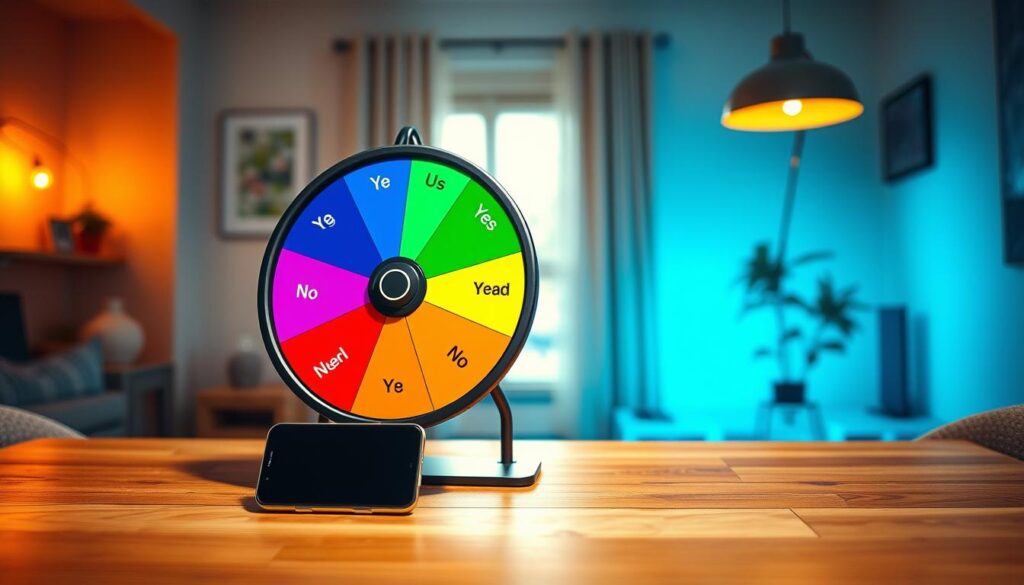
Ever find yourself stuck between two choices and unsure which way to go? The Yes or No Picker Wheel is here to help! This tool is a digital spinner that lands on either a “yes” or “no,” making your decision-making process much easier.
Think of it as a fun way to get a straight answer without all the stress. Instead of flipping a coin and hoping for the best, you get a smooth spin animation that builds anticipation. It’s designed to be super simple: choose your mode, hit the spin button, and let the wheel do the rest.

Decision fatigue is real. We all have those days when we’ve already used up our mental energy on trivial choices. This tool cuts through that clutter. It gives you an unbiased answer in an instant, whether you’re deciding on a haircut or what movie to watch.
What’s great is that you can use it as many times as you want. The more you spin, the more you realize how many tiny decisions you can offload to this little helper. It’s not about replacing your judgment; it’s about giving you a push when you’re stuck in that loop of overthinking.
How to Use the Yes or No Picker Wheel
In moments of uncertainty, making a choice can seem daunting. Thankfully, the Yes or No Picker Wheel simplifies this process. Here’s how to get started and make the most of this fun tool.
Selecting Your Mode: Yes/No or Yes/No/Maybe
Getting started is honestly as easy as it gets. First, choose which mode fits your question best. The standard yes/no mode is perfect for clear binary choices, like “Should I go to the gym today?” If your question has a bit more gray area, switch to the yes, no, or maybe mode. This gives you that third option when the answer isn’t so black and white.
Adding Input Sets and Spinning the Wheel
After selecting your mode, decide how many input sets you want. You can choose anywhere from 1 to 5 sets, which changes how the wheel is laid out visually. Hitting that spin button is the fun part! You can click it with your mouse or press Ctrl + Enter if you prefer keyboard shortcuts.
The wheel starts spinning with a nice animation. There’s something oddly satisfying about watching it slow down before it lands on your answer. Once it stops, your result pops up clearly and gets added to your running tally, so you can see the history of all your spins.
Reading and Understanding Your Results
If you want to go again, just hit spin, and the wheel picks up right where it left off. No need to reset anything unless you want a fresh start. You can also hide the input panel to put the wheel front and center, which is great when sharing your screen or just wanting fewer distractions.

Customizing Your Yes or No Picker Wheel
Customization can make your decision-making tool feel more personal and engaging. One of the best things about this yes wheel is how much you can tweak it to match your mood or style without any complicated setup.
The tool settings panel sits right below the wheel. When you click it open, you’ll find a bunch of ways to make the spinner feel like your own. Let’s dive into the fun options!
Changing Wheel Colors and Themes
Changing the wheel colors is probably the first thing you’ll want to play with. There are several built-in themes that switch up the whole look in one click. You can also mess with the background color of the whole section, which is a nice touch if you’re projecting the wheel during a game night or classroom activity.
Adjusting Spin Speed and Duration
The spin behavior settings let you control how fast the wheel spins and how long it keeps going. You can choose anywhere from a quick 1-second burst to a dramatic 30-second build-up. There’s even a manual stop button option, so if you want to add some suspense by stopping the wheel yourself, you totally can!
Enabling Sounds and Confetti for Fun
Sounds and confetti are where things get really fun! You can turn on celebratory confetti that bursts out when the result lands, making even small decisions feel like a win. Plus, you can customize the starting, spinning, and ending sounds, so the whole experience feels polished and personal.
If you go premium, you unlock even more goodies like custom spin buttons, background images, and the ability to add your own logo or banner to the wheel. So why not make it truly yours?

Using Different Modes to Make It Your Own
Making choices can sometimes feel overwhelming, especially when options abound. Luckily, the decision-making tool has different modes to suit your needs. Let’s explore how these modes can help you shape your experience and make decisions easier.
Regular decision mode vs. accumulation mode
The first mode is the regular decision mode. This is the default setting. When you spin the wheel, you get an answer, and that same answer can pop up again next time. This mode is perfect for quick, one-off questions where you just need a simple answer. For example, if you’re deciding whether to go for a walk, just spin and let the tool decide!
Now, let’s talk about the accumulation mode. This is where things get really interesting. In this mode, the tool keeps a running count of how many times each option has been picked across multiple spins. Imagine you’re trying to decide what to eat. You spin the wheel five times and see that “pizza” came up three times while “salad” only got one. That tally can help you feel more confident about ordering that pepperoni!
The Add Count feature shows you the current count and what’s about to change. For example, it might display (2+1), so you always know how many times each option has been selected. This is especially useful when you’re trying to reach a consensus in a group setting.
Hiding choices to avoid repeats
Another clever feature is the ability to hide choices. Once an option gets picked, it disappears from the wheel for the next round. This is great for avoiding repeats. Teachers love this feature for calling on students. Once little Timmy gets picked to answer a question, his name won’t come up again until everyone’s had a turn.
You can mix and match these modes depending on what you’re doing. This flexibility makes the tool feel like it’s working with you, not just randomly spitting out answers. So whether you’re making a quick decision or accumulating data over time, there’s a mode that fits your needs perfectly.
| Mode | Description | Best Use Case |
|---|---|---|
| Regular Decision Mode | Simple spinning for a one-time answer. | Quick decisions like “Should I go out?” |
| Accumulation Mode | Keeps track of how many times each option is selected. | Deciding on meals or activities over multiple spins. |
| Hiding Choices | Removes selected options from the next spin. | Classroom settings to avoid repeats. |
Saving Your Wheel and Files
Keeping track of your decision-making wheels is essential for a smooth experience. You want to avoid setting everything up again every time you visit the tool.
By default, this tool autosaves your progress right in your browser’s local storage. This feature is convenient until you clear your cache or switch devices. If you’re just playing around with a quick decision, local autosave is perfectly fine.
However, if you’ve invested time customizing a wheel, you’ll want something more permanent. Creating a free account is the best way to ensure your files are saved securely to the cloud. This allows you to access your files from any device, anywhere.
With a free account, you can save up to 15 files, which is plenty for most users. If you need more, a premium account increases that limit to 120 files.
The file system is smart and offers three types to meet different needs:
- Private Lists: Only you can open and edit these files.
- Share Files: Create a public link for others to view your wheel, but only you can make changes.
- Collect Files: These are locked from editing but gather responses from everyone who spins, making them perfect for polls.
Managing multiple wheels becomes easy once you’re logged in. You can switch between them, rename files, and delete old ones without any hassle.
Sharing Your Yes or No Picker Wheel
Sharing your decision-making tool can turn a simple choice into a fun group activity. It’s super easy to get a link out to anyone who needs it. Just hit that share button at the top right corner, and you’ll see a few different ways to send your spinner out into the world.
Creating shareable links for friends or audiences
The quick and easy option is Share as Guest. This creates a simple link that anyone can open without needing an account. It’s perfect for a fast share with a buddy. Just keep in mind that guest links do expire after a while if nobody opens them. So, they work best for one-off situations rather than something you need long-term.
If you want something more permanent, Share from File is the way to go. Your link stays alive as long as the file exists, and any edits you make show up in real time for everyone. If you’re on a premium plan, people clicking your shared link won’t see ads, and they’ll enjoy all your customizations. This makes the whole experience feel polished and professional.
Collecting and viewing participant responses
The Collect Results option is fantastic for group decisions. It locks the wheel so nobody can mess with it and gathers every spin result into a dashboard you can review. Free accounts can collect up to 10 results, which works well for small groups. If you need to manage something bigger, the premium plan expands that limit.
Once your link is ready, you can copy it, email it, or share it directly through Facebook, X, Telegram, or WhatsApp without leaving the page. So go ahead, let the wheel decide and enjoy the fun of making choices together!
Viewing and Managing Results
After spinning the tool a few times, you might want to revisit what the results have been telling you. This is where the results panel becomes invaluable. It allows you to check your spin history and see how often each option has been selected.
Checking your spin history and accumulated scores
To access your results, simply click the Show All Results button. This will display a full history of every decision made since you opened the tool. The results are organized in a clean list, making it easy to follow along.
You can also use the toggle button to switch between viewing the raw results or the accumulated scores. The scores show how many times each option has been picked. This feature is particularly useful when you’re using accumulation mode and want to track which choice is leading over time.
Sharing single results or full history with others
When a result pops up, sharing it is a breeze. A small share icon appears, allowing you to send that moment directly to a friend. If you want to share the entire history, the Results Link button generates a dedicated page. This page can be shared with others, letting them see everything without needing access to your tool.
Additionally, you can download a results image from that page. This is perfect for posting on social media or saving for quick reference later. If you ever want a fresh start, just click the Clear Results button. This action will not affect your wheel setup or saved files.
This entire system makes it easy to treat the spinner as more than just a fun tool. You can track patterns and use the history to inform real decisions.
Making the Most of Full-Screen Mode
Focusing on what matters can simplify your decision-making. One great feature of the tool is its full-screen mode. This mode allows you to concentrate on the wheel without distractions. When you enter full-screen view, the wheel expands to fill your entire display, and all input panels and settings are tucked away out of sight.
This feature is especially useful during presentations. Imagine projecting the spinner during a game night or classroom activity. You won’t have to worry about everyone staring at a bunch of buttons and menus. Instead, the wheel becomes the star of the show, big and bold, with nothing else competing for attention on the screen.
Here are some key points about full-screen mode:
- It’s a feature you might not think about until you try it, and then you wonder how you lived without it.
- Clicking the full-screen button enlarges the view, hiding the clutter while keeping your results accessible.
- This feature works on both desktop and tablet devices, making it versatile for different setups.
- On a desktop, you can easily toggle back to normal view by hitting Escape or clicking the button again.
- If you’re using a phone, full-screen mode isn’t available, but the mobile layout is already streamlined.
- It’s a small enhancement, but it makes the experience feel more focused and intentional.
Overall, full-screen mode is a simple yet effective way to enhance your decision-making experience. It allows you to engage fully with the tool, making the process smoother and more enjoyable.
When to Use a Yes or No Picker Wheel
It’s common to find ourselves paralyzed by choices, unsure of the best path forward. We’ve all been there, staring at a menu or a closet full of clothes, completely unable to pull the trigger on a simple choice. The classic “Should I” questions are where this yes wheel really earns its keep. Whether it’s “Should I order takeout?” or “Should I call in sick tomorrow?” this tool can help.
Instead of texting three different friends and waiting for replies that might never come, you just spin and get an answer in seconds. It’s also a surprisingly good tool for settling those low-stakes debates that pop up in group chats or during hangouts with friends. For example, someone wants to watch a horror movie, while someone else prefers a comedy. Just spin the wheel and let it play referee without anyone getting bent out of shape.
Games are another natural fit for this decision-making tool. You can use it as a truth or dare decider, a party game randomizer, or just a fun way to pick who goes first. Some people even use it for creative writing prompts or brainstorming sessions, asking, “Should this character survive?” and letting the wheel shape the story.
Compared to flipping a coin, the wheel feels more interactive and fun. You get that visual spin and the option to add a maybe into the mix. The beauty is that there’s no wrong way to use it. Any time you’re stuck in a loop of overthinking, this tool can break you out and get you moving again.
Comparing Yes or No Picker Wheel with Other Decision Tools
When it comes to making choices, there are various tools available, each with its unique features. The yes or no picker wheel stands out, but it’s not the only option out there. Depending on your needs, other tools might be worth considering.
If you have multiple inputs to decide on, the general picker wheel is a fantastic choice. You can load it with as many options as you want, making it perfect for situations where you need to choose from a larger set of items. This versatility allows you to input names, items, or any other choices you may have. It’s a great tool for raffles, giveaways, or even deciding where to eat from a long list.
Using the General Picker Wheel for Multiple Choices
The main picker wheel application simplifies the decision-making process in just three steps: insert your inputs, spin the wheel, and get your result. This ease of use makes it a popular choice for many users.
For example, if you’re planning a group dinner, you can input all the restaurant options into the wheel. When you spin, it randomly selects one, eliminating the hassle of lengthy discussions. The flexibility of this tool is unmatched.
Alternatives Like Coin Flips or Other Spinners
Another classic method for making decisions is the simple coin flip. While it works well for binary choices, it lacks the engaging features of a spinner. A flip of a coin can give you a quick answer, but it doesn’t offer the visual excitement or sound effects that the wheel provides.
Moreover, the yes picker provides an additional option: maybe. This is something a coin flip can’t do unless you start interpreting edge landings creatively. The visual spin animation and celebratory confetti enhance the experience, making it feel more like a game than a chore.
Other online spinner tools exist, but many are cluttered with ads or require signups. In contrast, the yes or no picker wheel keeps things clean and accessible. It also excels in group settings, allowing you to share results and gather input from multiple participants seamlessly.
Ultimately, the best tool is the one you’ll actually use. The simplicity and fun of this spinner make it a favorite for many. It encourages users to engage in the decision-making process, ensuring they return to it time and again.
| Tool | Best For | Unique Features |
|---|---|---|
| Yes or No Picker Wheel | Binary decisions | Confetti, sounds, and maybe option |
| General Picker Wheel | Multiple choices | Customizable inputs and random selection |
| Coin Flip | Simple binary choices | Quick answer, no visual flair |
Premium Features and Upgrades Worth Considering
Upgrading your decision-making tool can significantly enhance your experience. While the free version of the yes or no picker offers plenty of functionality, the premium plan provides several enticing extras that can elevate your decision-making process.
Here are some of the key benefits of considering a premium upgrade:
More storage and customization options
The biggest upgrade is storage. Free accounts allow you to save 15 files, while the premium plan increases that limit to 120. This is a lifesaver if you manage multiple wheels for different purposes.
Adding logos, custom sounds, and backgrounds
Going ad-free is another perk that benefits both you and anyone you share your wheel with. The experience feels cleaner and more professional. Customization options really open up with premium features:
- Add your own background images.
- Tweak the spin button to match your style.
- Upload custom sounds for a personalized touch.
- Include your logo or banner, which is especially useful for brands.
- Enjoy larger result images, up to 800 pixels, perfect for sharing on social media.
- Embed customization allows seamless integration into your website.
While these features are not essential for everyone, they can be incredibly valuable for teachers, event hosts, or content creators who use the spinner regularly. The free version still performs its core function perfectly, so you can take your time deciding if the upgrades are worth it for your situation.
Getting Started with Your Yes or No Picker Wheel Today
Sometimes, we find ourselves at a crossroads, unsure of which path to take. You’ve made it this far, so you’re probably curious about whether this spinner can help you make decisions faster. The best way to find out is to open it up and give it a spin—there’s no signup, no payment, and no commitment required.
Next time you’re stuck on something small, like what to watch on Netflix, let the tool take that decision off your plate. You might be surprised how freeing it feels to outsource a few choices to a random spinner and stop burning mental energy on stuff that doesn’t really matter.
If you end up using it a lot, you can install it as an app on your phone or desktop. This way, it’s always one tap away without digging through bookmarks. Just follow the simple steps for your device, and you’re all set!
The tool is built to be used as many times as you need, so don’t overthink it. Whether you’re a chronic overthinker or just someone who enjoys a little fun in their daily routine, this yes picker is ready when you are.