

We’ve all faced those moments when choices seem overwhelming. That’s where a handy tool comes in. Imagine a simple wheel that spins and gives you a clear answer. This isn’t just any tool; it’s a yes wheel designed to help you make quick decisions.
With just a click on the SPIN button, you can find out if it’s a “yes” or a “no.” It’s all about speed and simplicity. You don’t need to think too hard; just spin and see the result. This tool has been used over 87 million times, showing that many people appreciate a little help with their decisions.
Whether you’re deciding what to do tonight or need a fun answer for a silly question, this picker has your back. It’s like having a pocket-sized decision maker ready to assist you at any time. Plus, spinning the wheel makes the whole experience enjoyable!
Key Takeaways
- A quick decision-making tool can save you time and stress.
- The yes or no wheel provides instant results with a single spin.
- It’s been used millions of times, showing its popularity.
- Perfect for both serious and light-hearted questions.
- No downloads or signups needed—just spin and go!
What Is a Yes or No Generator and Why Use One?
Have you ever found yourself stuck between two choices, unsure of which path to take? That’s where a yes or no generator comes in handy. This tool is basically a digital wheel that you spin whenever you’re caught in a decision-making dilemma. It’s designed to give you a straight answer without the mental gymnastics.
This isn’t some complex decision-making framework. Instead, it’s a simple picker that uses randomness to provide you with a quick yes or no result. The beauty of this tool is that you don’t have to bug your friends or family every time you can’t make up your mind. Just spin the wheel, and let it do the work for you!
People use this tool for all kinds of questions. Whether it’s deciding if you should order pizza tonight or pondering a new job offer, the yes wheel can help. There’s something oddly satisfying about letting a wheel decide for you. It takes the pressure off and makes the whole process feel more like a game.
You can choose between a simple yes/no mode or add a maybe option for a little wiggle room in your answers. Instead of flipping a coin and hoping for the best, this generator offers a visual spin that builds anticipation before landing on your result.
This tool has been spun millions of times by people everywhere. It shows that many of us just want a quick, no-stress way to get past those little daily decisions. So, whether you call it a yes wheel, a picker, or just a decision tool, the idea is the same: stop overthinking and let randomness lend a hand today!

How to Use the Yes or No Generator in Just a Few Clicks
Making choices can sometimes feel like a daunting task. Luckily, using the yes or no generator is super simple. You can start making decisions in just a few clicks!
First, you’ll want to select your mode. You have two options: the classic yes/no mode or the yes/no/maybe mode. If you’re feeling adventurous, the second option adds a bit of uncertainty to your answers.

Selecting Your Mode: Yes/No or Yes/No/Maybe
After picking your mode, you can choose the number of input sets. You can opt for anywhere from one to five sets. This feature allows you to spin the wheel multiple times without resetting anything, making it even more convenient.
Spinning the Wheel: What to Expect
When you’re ready, just hit that spin button or press Ctrl + Enter on your keyboard. Watching the spin wheel in action is honestly mesmerizing! It gradually slows down and lands on your result, sometimes with a fun confetti burst to celebrate your decision.
Checking Results and Resetting for a New Round
Once you get your answer, it appears right on the screen and gets saved for later reference. If you’re feeling mysterious, you can enable the Mystery Wheel feature, which replaces all inputs with question marks. You can also use the Mystery Result option to hide the outcome until you click to reveal it.
After a spin, simply hit the reset button to clear everything and start fresh. The entire process takes about ten seconds, perfect for when you need a quick answer today. Plus, you can hide the inputs section to keep the focus on the wheel, especially useful if you’re using a tablet.
- Getting started with this yes or no generator is about as easy as it gets.
- Pick your mode: classic yes/no or yes/no/maybe for a twist.
- Choose up to five input sets for multiple spins.
- Hit the spin button or press Ctrl + Enter to watch the magic happen.
- The spin wheel slows down and reveals your result with flair.
- Your answer is saved for later, so you can revisit it.
- Enable Mystery Wheel or Mystery Result for a fun twist.
- Reset to start fresh after each spin.
- The whole process takes about ten seconds—perfect for quick decisions.
- Hide the inputs for a cleaner look while you spin.
For more tools to help with your decision-making, check out this page.
Why a Reliable Yes or No Generator Makes Decisions Easier
Choosing between options can often leave us feeling stuck. We all know the drill: Should I go out for dinner? Should I buy that shirt? Should I ask them out? These questions can turn into a mental tug-of-war, and if we dwell on them too long, it can get frustrating.
In moments like these, many of us might ask a friend for help. But that can complicate things even more. Others might resort to flipping a coin, hoping for a clear answer. However, there’s a more interactive option: using the Yes or No Wheel to decide randomly for you.
The biggest reason this tool works so well is that it takes the weight off your shoulders. You don’t have to agonize over every little decision when a simple spin can give you an answer. We often spend too much time going back and forth on choices that don’t matter that much. This tool helps you break out of that loop quickly.
There’s something about randomness that makes decisions feel less personal. If the wheel says no to that second slice of cake, it’s not really your fault! A lot of people find that once the wheel gives them a result, they realize what they wanted all along. It’s like the spin just clarifies things.
Instead of bugging your partner or roommate with yet another “should I or shouldn’t I” question, you can let the picker handle it. This way, you save their patience for bigger issues. The tool cuts through indecision without any judgment. It doesn’t care if you spin it ten times in a row because you didn’t like the first answer.
Making decisions gets easier when you have a go-to method. This wheel becomes that reliable fallback for all those moments when your brain just won’t cooperate. Whether it’s a tiny choice like what to watch tonight or something a bit bigger, having a tool that gives you a clear yes or no in seconds is a game-changer for overthinkers.
The whole experience is designed to be quick and painless. You can get your answer and move on with your day instead of getting stuck in decision paralysis.

Exploring Customization Options to Suit Your Style
Sometimes, we want our tools to reflect our personal style. The yes or no wheel offers some fun ways to customize your experience. From adjusting the spin speed to changing colors and sounds, you can make this tool truly yours.
Changing Spin Speed and Behavior
One of the coolest things about this yes-or-no generator is how much you can tweak it. If you like a slow, dramatic spin that builds suspense, you can set the duration to 30 seconds. On the flip side, if you’re impatient like most of us, you can crank it down to just one second!
The spin behavior settings let you control aspects like the initial angle and whether there’s a manual stop button. This means you get to decide exactly how the wheel behaves, adding a personal touch to your experience.
Adjusting Colors, Sounds, and Backgrounds
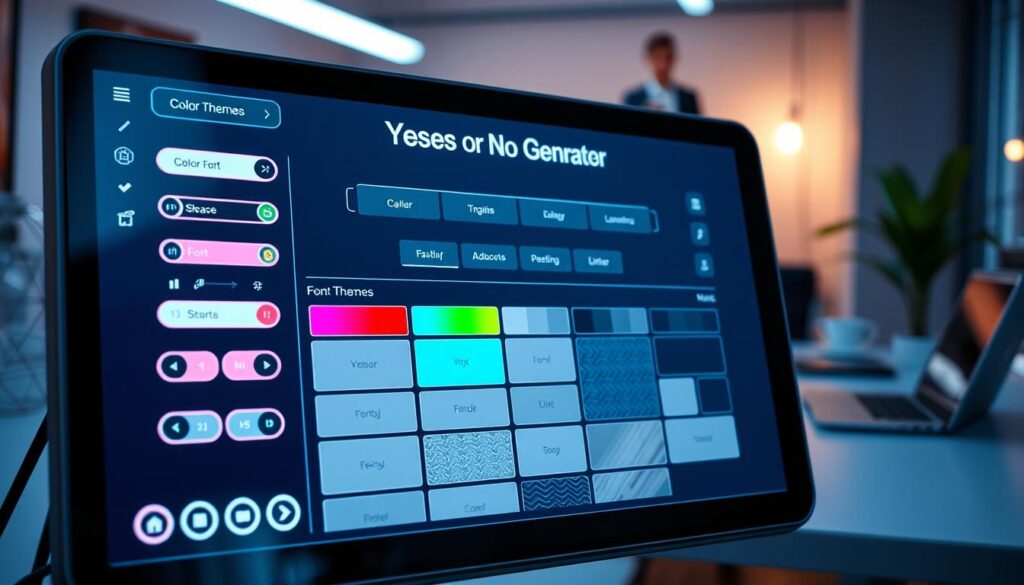
You can mess around with the colors, too. There are several themes to choose from for the wheel itself, and you can change the background color of the whole section to whatever suits your mood. Sounds are a big part of the experience, too. You can turn them off if you’re somewhere quiet or customize the starting, spinning, and ending sounds to make it feel more personal.
Confetti is one of those little touches that makes getting a result feel way more fun. You can toggle it on or off depending on whether you’re in a celebratory mood.
Premium Features for Personalizing Your Experience
For premium users, there’s even more to play with. You can add your own background image, customize the spin button, or put your logo on the page. The whole customization section is tucked away below the wheel, so it doesn’t clutter things up. But it’s easy to expand whenever you want to make changes.
Being able to adjust all these options means the tool feels less like a generic website and more like something that’s actually yours. Whether you want a sleek minimalist look or something bright and loud, the customization options give you plenty of ways to make the spinner match your style.
Sharing Your Results with Friends and Family
When it comes to decision-making, sharing results can make it even more enjoyable. Whether you’re settling a debate or just having fun, sharing your spins adds a social element that enhances the experience. Plus, it’s a great way to involve others in your decision-making process!
There are two kinds of results you can share: a single result and all results. If you want to share a single result, just click the share icon right when the result pops up. This is perfect for those moments when you want to prove the wheel officially sided with you!
Creating Share Links and Collecting Participant Responses
If you’ve done a bunch of spins and want to share the whole history, open the results page. From there, you can create a link that shows everything in one place. You can also download the results image from the results page. This feature is handy if you want to post it somewhere or save it for later laughs.
Another cool option is the “Collect” link. This lets you gather responses from others, which is super handy if you’re trying to get a group to weigh in on where to eat tonight. Once the link is created, just copy the link address or click the copy button to share the Yes No Picker Wheel with others.
Using Full-Screen Mode to Make Spinning More Fun
The full-screen mode is a game-changer when you’re with a group. It hides all the extra stuff and makes the wheel big and dramatic so everyone can see the spin. When you’re in full-screen mode on a tablet or desktop, the spinner takes over the whole page, making it feel like you’re on a game show!
Half the fun of using this generator is sharing the results with your friends, especially when the wheel makes a call everyone’s been debating. Sharing results turns a simple decision tool into a social activity, and it’s honestly just more fun when other people are watching the wheel do its thing.
Here’s a quick overview of the sharing options:
| Sharing Option | Description |
|---|---|
| Single Result | Share right when the result pops up by clicking the share icon. |
| All Results | Create a link to share the entire history of spins. |
| Collect Link | Gather responses from others for group decisions. |
| Download Results | Save results as an image for later use. |
The whole sharing system is built to be quick and painless, so you can get back to spinning instead of messing around with complicated menus. Whether you’re settling a debate or just letting the wheel decide for the group, being able to share results makes the whole experience feel more connected.
When to Reach for the Yes or No Generator in Everyday Life
Every day, we face countless choices that can leave us feeling uncertain. Whether it’s deciding what to have for dinner or figuring out weekend plans, these moments can quickly become overwhelming. The good news? The yes or no wheel is here to help!
When you’re staring at your phone trying to figure out what to eat for dinner, the wheel can save you from going in circles. Should you order pizza tonight or actually cook that chicken in the fridge? One spin, and the decision is made—no more debating with yourself!
Quick Decisions about Dinner Plans or Going Out
Going out plans are another perfect use case. If you and your friends can’t agree on whether to hit the bar or stay in and watch a movie, let the wheel decide! It’s a fun way to settle the debate without hard feelings.
Settling Fun Debates with Friends
The wheel is great for those silly debates that somehow turn into twenty-minute arguments. Whether it’s who has to do the dishes or which movie to watch, a quick spin can bring a lighthearted end to the discussion.
Picking Between Multiple Options Without Overthinking
When you have multiple options and find yourself overthinking every single one, the picker cuts through the noise. It gives you a clear answer so you can move on with your day. It’s also surprisingly helpful while shopping. If you can’t decide whether to buy something, let the wheel make the call!
People use this tool for all kinds of everyday situations. From “Should I go to the gym today?” to “Should I text that person back right now?” the wheel can help with decisions big and small. The beauty of it is that there’s no wrong time to use it. Any moment where you’re stuck between two choices is fair game for a quick spin.
Even for bigger decisions, like “Should I apply for that job?” the generator can give you that initial push. It’s the perfect companion for anyone who tends to overthink the small stuff and just wants a simple way to get past decision fatigue.
| Situation | Example Question | Use the Wheel? |
|---|---|---|
| Dinner Plans | Should I order pizza tonight? | ✔️ |
| Going Out | Should we hit the bar or stay in? | ✔️ |
| Silly Debates | Who does the dishes tonight? | ✔️ |
| Shopping | Should I buy this shirt? | ✔️ |
| Job Decisions | Should I apply for that job? | ✔️ |
How the Yes or No Generator Stands Out from Other Decision Tools
Decision-making can sometimes feel like a game of chance. You might think about flipping a coin, but a coin flip is just heads or tails. There’s nothing visual or fun about it. The wheel actually makes the process feel like an event!
When you flip a coin, it’s over in half a second. You might not even trust the result. But watching the spin wheel slow down and land on your answer builds suspense. This makes the outcome feel more legit and engaging.
Unlike a random number generator that just spits out digits, this tool gives you a clear yes or no in a way that’s way more satisfying to watch. The yes wheel stands out because it’s designed specifically for binary decisions. It’s not some generic tool trying to do a hundred things at once.
You get way more customization here than you would with a simple coin flip. From the spin speed to the colors and sounds, it’s a whole experience rather than just a quick toss. Other decision tools might give you a result, but they don’t let you share it easily or collect responses from friends. This is a big part of why people keep coming back to this generator.
The probability is still 50/50, just like flipping a coin. However, the presentation makes it feel like you’re actually engaging with the decision rather than leaving it to chance. There are tons of picker tools out there for all kinds of stuff, like picking names or numbers, but this one is laser-focused on giving you a straight yes or no answer every time.
People have used this generator many times over because it doesn’t try to be more than it needs to be. It does one job, and it does it well. Compared to asking a friend or flipping a coin, the wheel offers a better balance of randomness and fun. This makes decision-making feel less like a chore.
| Feature | Yes or No Generator | Coin Flip |
|---|---|---|
| Visual Experience | Engaging spin animation | No visual engagement |
| Customization | Colors, sounds, and spin speed | No customization |
| Result Clarity | Clear yes or no answer | Heads or tails |
| Social Sharing | Easy to share results | Not applicable |
| Fun Factor | Interactive and enjoyable | Quick and boring |
Keeping Track of Your Spinner History and Results
Ever find yourself wishing you could remember all the decisions you’ve made with the wheel? This tool does just that! It keeps track of every spin, so you can look back at the answers the picker has given you.
Simply click the Show All Results button, and you’ll see a complete history of your decisions since you opened the page. This feature is surprisingly handy, especially if you’ve been spinning multiple times in a row.
You can toggle between viewing individual results and the accumulated scores. This way, you’ll know exactly how many times the wheel said yes versus no during your session. If you’ve been using the tool throughout the day, the history section provides a helpful summary of how things played out.
The results page also allows you to create share links, serving double duty as both a personal record and a way to show others what the wheel decided. If you want to start fresh, just click the Clear Results button. It’s that easy!
The fact that results accumulate automatically means you don’t have to remember anything yourself. The tool does that job for you without any extra effort. Some people even like to spin the wheel many times for the same question to see the probability play out. The history feature makes it easy to track.
It’s a small detail, but being able to see your spin history adds a layer of accountability. This makes the whole experience feel more substantial than just a one-off coin toss. Whether you’re using it for fun or trying to make a series of decisions, the history and results tracking turn the generator into something you can actually rely on over time.
Ready to Stop Debating and Start Spinning?
At times, we find ourselves caught in a web of choices that seem never-ending. Look, we all spend way too much time going back and forth on stuff that really doesn’t need that much brain power. This tool is here to help you break that habit starting today.
The next time you’re stuck on a question, whether it’s what to eat tonight or something a little bigger, just let the wheel do its thing. You might be surprised how much lighter it feels!
There’s no signup, no payment, no catch. You can spin this thing as many times as you want and get a random yes-or-no whenever you need one. People from all over have used this tool millions of times, and there’s a reason it sticks around—it’s just a genuinely helpful way to get past those moments of indecision.
So go ahead, ask it something, spin the wheel, and let yourself off the hook for a minute. You might be surprised how good it feels to just let something else make the call tonight.