
So, you need a QR code and you want it fast, right? No worries! A free online QR code generator is just what you need. It’s a simple tool that helps you create scannable codes in seconds, without any cost. Many people have already turned to these tools for everything from wedding invites to product packaging.
The best part? Your codes never expire, and there’s no limit on how many times they can be scanned. This means you can use them for business projects, personal needs, or anything else without hidden fees sneaking up on you.
Whether you’re a small business owner looking to attract more customers or just someone wanting to share a WiFi password, this generator has your back. The whole process takes just about a minute, and you don’t need any tech skills to get it done. You’ll end up with a high-quality code that scans perfectly on any phone, which is what really matters!
Key Takeaways
- Quick and easy code creation without any costs.
- No expiration or scan limits on generated codes.
- Versatile for both personal and commercial use.
- Fast process that takes about a minute.
- User-friendly for everyone, no tech skills needed.
Why Use a Free Online QR Code Generator?
Looking to whip up a QR code in no time? You’ve come to the right place! Using a code generator makes the whole process simple and quick. You won’t have to waste time or money on complicated software or subscriptions.
Save Time and Money with No Hidden Fees
Let’s be real: nobody wants to sign up for yet another subscription just to make a simple code that links to their website. A solid code generator gives you a free code without asking for your email or locking features behind a paywall.
You can create as many codes as you need for your business without watching your budget spiral out of control. Think about all the time you’ll save when you don’t have to mess around with complicated software or wait for a designer to get back to you!
Perfect for Personal and Business Needs
These codes work forever, so you won’t get that dreaded email saying your campaign just broke because something expired. For personal projects like party invites or sharing photos with family, a free code is all you really need.
Business owners love this because they can test out QR code marketing without committing to a paid plan right away. The generator handles everything from simple URL links to complex contact cards, so it grows with whatever you’re working on.
No Expiry or Scan Limits—Ever
You’re not limited to a certain number of scans either, which means your code keeps working whether ten people or ten thousand people use it. No hidden fees means exactly that: you won’t wake up to a surprise charge on your card three months later.

What Is a QR Code and How Does It Work?
Ever wondered what a QR code really is and how it works? Let’s break it down. QR stands for Quick Response, which gives you a hint about its purpose. Invented by Denso Wave in 1994, this type of code was initially designed to track car parts. Now, we use it for everything from accessing restaurant menus to sharing contact details.
A QR code is a two-dimensional barcode made up of a grid of black and white squares. It stores various types of information, such as:
- URLs that direct you to websites
- Contact details like phone numbers and emails
- Payment information for transactions
- Plain text messages for quick notes
Most modern devices, including smartphones and tablets, have built-in QR scanning capabilities. You don’t even need a separate app! Just open your camera and point it at the code. Your device acts as a scanner, reading the pattern and translating it into the stored content. This means you can access a website link, a PDF, or even someone’s contact info in seconds.
What’s really impressive is how much information these codes can hold. They can store up to:
- 7,089 numeric characters
- 4,296 alphanumeric characters
- 2,953 bytes of data
- 1,817 Kanji characters
The scanning process is quick and easy. You simply point, the device reads, and you instantly gain access to whatever the creator intended to share. No more typing long web addresses or saving contact details manually, which saves time and reduces errors.
Every device may handle scanning slightly differently, but the core idea remains the same across iPhones, Android phones, and tablets. If you want to learn more about how to create your own codes, check out this QR code generator.
Static vs. Dynamic QR Codes: Which One’s Right for You?
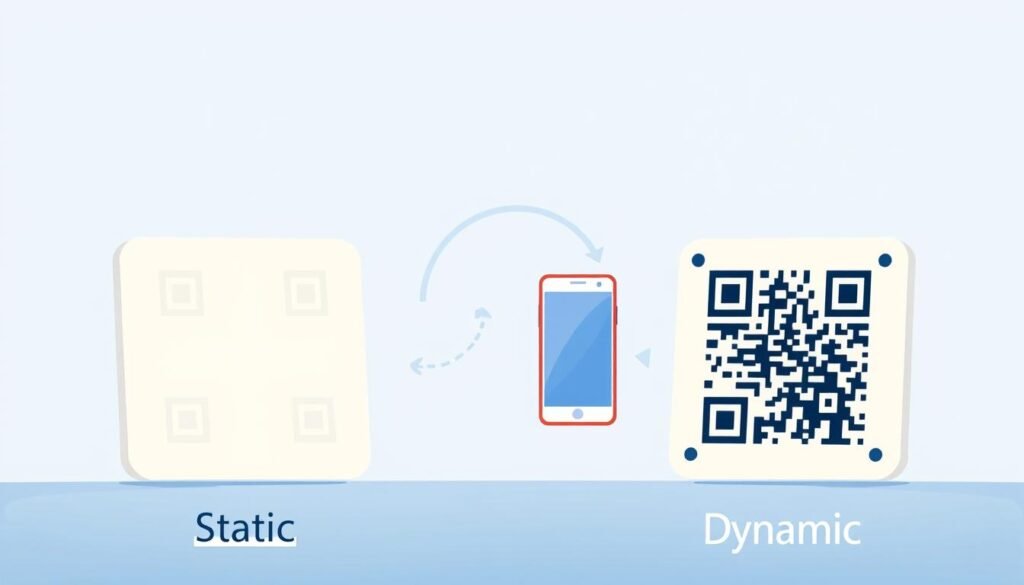
When it comes to QR codes, you might wonder which type suits your needs best. There are two main types: static and dynamic. Each has its own features and benefits, so let’s break them down.
Static Codes: Simple and Solid
Static codes are the straightforward option. You input a URL or some text, generate the code, and that’s what it points to forever. Once a static code is created, the content is locked in. This is perfect for things like WiFi passwords or a website link that won’t change.
Dynamic Codes: Flexibility and Tracking
Dynamic codes give you way more flexibility. You can update where they point without needing to reprint anything. For example, if you want to change the destination URL next week or next year, the same printed code just works with the new link. This is a game changer for marketing campaigns!
Another big advantage of dynamic codes is tracking capabilities. You can see how many people scanned the code, where they were, and what device they used. This data is invaluable for understanding your audience.
When to Choose One Over the Other
Static codes are perfect for one-and-done projects where the information won’t need updating. Think of a vCard with your contact details or a simple link to a website.
On the other hand, dynamic codes shine in situations where you might want to swap out a landing page or update a menu seasonally. You can always start with static codes and move to dynamic codes later when your needs grow. This makes it easy to ease into using them.
| Feature | Static Codes | Dynamic Codes |
|---|---|---|
| Flexibility | Fixed content | Editable content |
| Expiry | Never expires | Depends on provider |
| Tracking | No tracking | Detailed tracking available |
| Best for | One-time use | Marketing campaigns |
Understanding the type of code you need depends on whether you require long-term flexibility or a set-it-and-forget-it approach. Choose wisely!
Customize Your QR Code: Colors, Logos, and Design Tips
Want to jazz up your QR code? Let’s dive into some fun customization options! Nobody said these codes have to be boring black and white squares. Adding some personality can actually encourage more people to scan them.
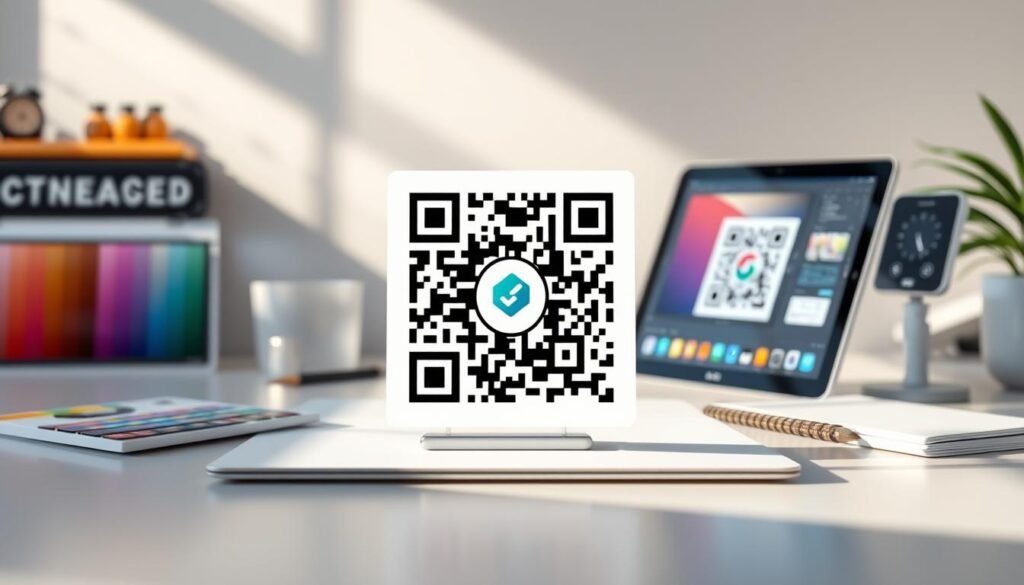
Adding Your Brand Logo to Stand Out
Putting your brand logo right in the center of the code makes it instantly recognizable. This tells people that it’s legit, not just some random sticker. When you add logo elements, the code still works because there’s built-in error correction. This feature can handle up to 30% of the code being covered or altered.
Playing with Colors and Shapes
Now, let’s talk about colors! You can match your brand’s exact shade, use gradients, or pick colors that pop against your packaging. The design options go beyond just colors; you can round the corners, change the shape of the data modules, and create something that actually looks good.
Ensuring Your QR Code Still Scans Easily
A word of caution, though: don’t go too wild with colors that the code becomes hard to scan. The contrast between the foreground and background needs to be strong enough for a phone’s camera to pick up the pattern clearly. Size matters too! If you’re printing on a business card, the code needs to be big enough for a device to read without squinting.
Testing your customized code on a few different devices before you print a thousand copies is always a smart move. The best designs strike a balance between looking good and working reliably. You can usually preview how your code scans right in the generator, making it easy to ensure everything is perfect.
Adding your brand elements turns a generic code into something that feels like it belongs with the rest of your marketing materials. So, get creative and make your QR code truly yours!
| Feature | Customization Options |
|---|---|
| Logo Placement | Center of the code |
| Color Choices | Exact shades, gradients, and contrasts |
| Shape Modifications | Rounded corners and unique data modules |
| Scanning Reliability | High contrast and appropriate size |
Quick Steps to Create Your QR Code Online
Creating a QR code has never been easier, and here’s how to do it. Follow these simple steps, and you’ll have your code ready in no time.
Pick the Type of Code You Need
The first step is to decide what type of content you want your code to link to. It could be a website URL, a PDF file, an app download page, or even a pre-written email. Once you know what you’re linking to, just paste your link or upload your file. The generator does the heavy lifting from there!
Personalize Your Design
Now comes the fun part—personalizing your design! Choose colors that match your brand, add a logo, and tweak the shape until it looks just right. Most generators allow you to see a live preview as you make changes. This way, you know exactly what you’re getting before you download anything.
Download and Share in Various Formats
When it’s time to download, you’ll typically have several options. PNG files are great for quick digital use, while vector formats like SVG and PDF are perfect for professional printing. The SVG format is especially handy because it keeps all your design settings intact and can be scaled to any size without getting blurry.
If you plan to print your code on a poster or flyer, grab a high-resolution file to ensure it stays crisp at larger sizes. Some generators even offer a Chrome extension that lets you create a code for any page you’re on without leaving your browser tab.
The whole process takes about a minute, which is less time than it takes to brew a cup of coffee. You can create codes for all sorts of things: a landing page for your new product, a PDF menu for your restaurant, or an app download link for your latest release. Once you’ve got your file, you’re ready to drop it into whatever you’re working on and start sharing it with the world!
| Feature | Description |
|---|---|
| Type of Content | Website URL, PDF, App, Email |
| Design Options | Colors, Logos, Shapes |
| Download Formats | PNG, SVG, PDF |
| Time to Create | Approximately 1 minute |
| Print Quality | High-resolution files available |
Best Places to Use Your QR Code for Maximum Impact
If you want to make the most of your QR codes, knowing where to place them is key. The right spots can significantly enhance engagement and drive traffic. Let’s dive into some of the best locations to showcase your codes effectively.
On Packaging and Product Labels
Putting codes on your product packaging turns a simple box into an interactive experience. Customers can easily pull up instructions, how-to videos, or warranty details with a quick scan. Think about all the packaging you throw away; a well-placed code on a label gives people a reason to engage with your brand even after the unboxing.
Marketing Materials Like Flyers and Posters
Marketing materials like flyers and posters are perfect for codes. They bridge the gap between something physical and your digital world. When someone scans a code on a poster, they land right on your website or a special landing page without typing anything into their phone. This seamless experience can boost sign-ups, event registrations, or website visits.
Business Cards and Email Signatures
Business cards with a QR code are a total upgrade. Instead of cramming every social handle and phone number onto a tiny card, one scan shares everything. Adding a code to your email signature is a smart move that gives people instant access to your calendar or portfolio. It makes sharing your contact details a breeze!
Here are some additional tips for maximizing your QR code’s impact:
- Print materials get a second life when you add a code that links to something dynamic, like a video or a special offer that you can update anytime.
- The media you use matters: a code on a glossy postcard scans differently than one on textured paper, so always test before you print in bulk.
- For restaurants and retail stores, putting codes on table tents or window displays lets customers browse menus or shop even when you’re closed.
- Cards with codes work great at networking events because people can save your info in seconds instead of fumbling with a physical card they’ll lose later.
- The key is putting your code somewhere people naturally look and ensuring there’s enough light and space around it for a clean scan.
| Location | Benefits |
|---|---|
| Packaging | Interactive experience with manuals and videos |
| Marketing Materials | Direct access to websites and landing pages |
| Business Cards | Convenient sharing of contact details |
| Email Signatures | Instant access to calendars or portfolios |
Industries That Benefit Most from QR Codes
From retail to healthcare, QR codes are making waves in multiple industries. They’re not just a trend; they’re transforming how businesses interact with customers. Let’s explore how different sectors are leveraging these powerful tools.
Retail and Real Estate
Retail stores are using codes to let shoppers pull up product reviews and detailed specs right from the shelf. This helps them buy with confidence. Imagine scanning a code and instantly accessing customer feedback or product information while you shop!
In real estate, agents are putting codes on for-sale signs. Anyone driving by can take a virtual tour of the house without scheduling an appointment. This makes it easier for potential buyers to explore properties at their own pace.
Healthcare and Education
In healthcare, codes on prescription bags or waiting room posters give patients quick access to appointment scheduling and digital health records. This simplifies the process and enhances patient experience.
Schools and universities are all over this trend. Teachers put codes on handouts that link to video lessons, and students scan them to submit assignments. This tech-savvy approach makes learning more interactive and accessible.
Events and Hospitality
Event organizers love codes for digital ticketing. It speeds up check-in and cuts down on paper waste at conferences and concerts. Guests can easily access event schedules and updates with a quick scan.
In hospitality, restaurants swapped out physical menus for codes during the pandemic. They never looked back because updating a digital menu is so much easier. Hotels use codes at the front desk and in rooms to let guests order room service or book spa appointments.
Getting feedback from customers is way easier when they can scan a code and fill out a quick survey instead of typing in a long URL. The marketing potential across all these industries is huge because codes turn passive viewers into active engagers with just a phone scan.
Your business can use codes to share contact info, promote an app download, or drive traffic to a specific landing page for a seasonal campaign. The features available in modern generators mean you can track which locations and industries are getting the most engagement and adjust accordingly.
Keep Your Campaign Going: Tracking and Managing Your QR Codes
Now that you’ve created your codes, it’s time to see how they perform. Once your codes are out in the world, the real fun starts. You can track how your campaign is doing with real-time data. A solid code generator will show you how many people scanned, where they were located, and what device they used.
This information is pure gold for figuring out if your marketing efforts are paying off. You can see which cities engage most with your codes and what time of day people tend to scan. Plus, the ability to update a dynamic code’s URL means you can redirect traffic without reprinting anything.
Managing everything from one dashboard gives you a clear picture of your campaigns. And if you run into questions, the support teams are usually responsive. So, keep your campaigns organized and enjoy the insights!