
In today’s fast-paced world, keeping an eye on your health is more important than ever. If you’re looking for a quick and easy way to check your health, this BMI calculator free download is just what you need. It’s like having a personal health assistant right in your pocket!
Check your BMI with our calculator 👉
This app, developed by Steffen Mayer under Appovo, has gained a lot of love, boasting over 27,000 ratings and 130,000 reviews. It’s available for iOS 17.0 and above, and at just 18.9 MB, it won’t hog your phone’s storage. With this app, you can calculate your body metrics instantly using an animated visual gauge. No complicated charts to decipher!
Whether you’re curious about your health or tracking your fitness journey, this tool makes it simple and even a bit fun. Plus, it supports various measurement systems, so you don’t have to worry about conversions. Download it now and start understanding your body better in less time than it takes to brew your morning coffee!
Key Takeaways
- Quick and easy health checks right from your phone.
- Instant results with a user-friendly animated gauge.
- Over 27,000 ratings and 130,000 reviews highlight its popularity.
- Regular updates based on user feedback ensure a great experience.
- Supports multiple measurement systems for convenience.
What Is BMI and Why You Should Care
Understanding your health is crucial, and knowing your body mass index can help. Body mass index, or BMI, is a simple measurement that relates your weight to your height. It’s a widely used indicator to see if your weight is healthy for your height.
The formula for calculating BMI is straightforward. For metric measurements, it’s weight in kilograms divided by height in meters squared. If you’re using US units, it’s 703 times your weight in pounds divided by your height in inches squared. This app does all that math for you!
Many doctors and health organizations have trusted this measurement for decades. It gives a quick snapshot of where you stand in terms of body weight. You don’t need to be a fitness expert to understand what your number means for your everyday health.
Knowing your body mass index can help you spot potential health issues early. For instance, if your number suggests you’re moving into a range that could increase your risk for diabetes or heart problems, you can take action. While it’s not a perfect tool, it works for about 90 to 95 percent of people.
The app makes this whole concept visual. It uses a color-coded gauge so you can easily see where you fall without squinting at numbers. If you’re an athlete with a lot of muscle, you might get a higher reading, but that’s okay. The app even explains that BMI doesn’t tell the whole story.
Think of your body mass index as a friendly heads-up, not a final verdict on your health. Once you know your number, you can start making small changes that add up over time. The app helps you keep track of all of it, making your health journey a little easier.

Features You’ll Love in This BMI Calculator Free Download
If you’re on a health journey, you’ll love the amazing features packed into this app. It’s designed to make tracking your health easy and fun. Let’s dive into what makes this app stand out!
Instant BMI Calculation with a Cool Visual Gauge
The moment you open the app and punch in your numbers, you get an instant BMI calculation. The slick animated gauge moves right to your result, making it visually engaging. That visual gauge isn’t just for show; it uses color coding to help you see if you’re in the underweight, normal, overweight, or obese range at a glance.
Supports Metric, Imperial, and British Units
You won’t get stuck converting units in your head because the app supports metric, imperial, and even British stones. Switching between kg and lbs or centimeters and feet takes just a tap. Plus, the app remembers your preference for next time!
WHO and German Nutrition Society BMI Classifications
There’s a choice between two classification systems: the World Health Organization standards and the German Nutrition Society guidelines. This means you can pick what matches your needs best.
Age and Gender-specific Results
The app supports age-specific calculations for kids as young as seven all the way through adults. Gender matters for BMI evaluation, and this app factors that in, giving you tailored results instead of a one-size-fits-all approach.
Works Offline – No Internet Needed
You can use this app anywhere—on a plane, in a basement, or out in the middle of nowhere—because it works completely offline with no internet connection required. This flexibility makes it a fantastic health tracker!
Plus, the ideal weight recommendation feature gives you a realistic target range based on your height and the classification system you chose. Everything about the design feels clean and intuitive; you won’t need a tutorial or a YouTube video to figure out how to use this calculator.

How to Use the BMI Calculator: A Simple Guide
Using this app is a breeze, making health tracking accessible for everyone. You’ll find that getting started is straightforward and intuitive. Let’s walk through the steps together!
Entering Your Height and Weight
Getting started is dead simple. Just open the app, and you’ll see fields for your height and weight right there on the main screen. You can:
- Tap to switch between metric and imperial units anytime. Whether you think in pounds and feet or kilos and centimeters, the app has you covered.
- Receive clear feedback if you accidentally enter your height in meters instead of centimeters. This little feature saves you from weird results!
- Once your numbers are in, the calculation happens instantly. The animated gauge swings right to your result—no loading screens or waiting around.
Choosing the Right Classification System
Next, head into the settings to pick your classification system. You can choose between:
| Classification System | Description |
|---|---|
| World Health Organization (WHO) | Global standards for health metrics. |
| German Nutrition Society (DGE) | Specific guidelines tailored for German health standards. |
Your preferences stick around even after you close the app, thanks to a fix in the recent version that stopped the annoying unit reset bug.
Tracking Your Progress Over Time
Tracking your progress over time is where this app really shines. You can check in whenever you want and see how your numbers are trending. If you’re the type who likes to check in weekly or monthly, you’ll appreciate how quick it is to pop in, get your number, and get on with your day.
There’s no complicated sign-up process or account creation—just download, open, and start using the software right away. The app keeps things straightforward so you spend less time fiddling with settings and more time understanding your health information.

Body Mass Categories Explained: What Your Number Means
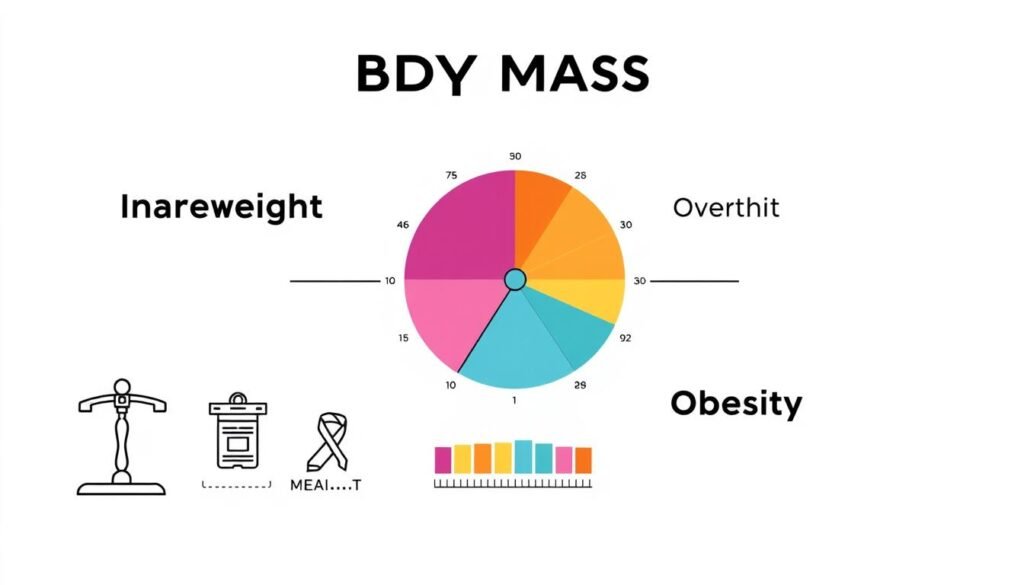
Understanding where you stand in terms of body mass can be enlightening and empowering. The app helps you navigate your results by sorting you into one of four main categories based on the World Health Organization’s (WHO) widely accepted standards.
Underweight, Normal, Overweight, and Obese
Once you’ve got your number, the app categorizes it as follows:
- If your reading is below 18.5, you’re in the underweight category. The app highlights this with a specific color on the gauge, making it easy to see.
- The normal weight range is between 18.5 and 24.9. Most people aim for this range for general health and well-being.
- Between 25 and 29.9 places you in the overweight category. This isn’t a reason to panic but a gentle reminder to check in with your habits.
- A BMI of 30 or above is classified as obese. While this may sound harsh, it’s simply information to help you make informed choices.
Differences Between WHO and DGE Classifications
The German Nutrition Society (DGE) uses a slightly different system. It incorporates gender-specific ranges that some find more fitting for European body types. You can easily switch between WHO and DGE classifications in the app settings to see how your results compare under each system.
It’s important to remember that the app emphasizes that the mass index is a screening tool, not a diagnosis. It doesn’t take into account factors like muscle mass or bone density. If you’re in the underweight category, the app presents the facts without judgment and suggests you might want to chat with a healthcare provider.
Always consult healthcare professionals for personalized medical advice. No app can replace that, and this one reminds you of that in a friendly way.
| Category | BMI Range | Description |
|---|---|---|
| Underweight | Below 18.5 | Considered underweight, may require medical advice. |
| Normal Weight | 18.5 – 24.9 | Generally considered healthy. |
| Overweight | 25 – 29.9 | May indicate a need for lifestyle adjustments. |
| Obese | 30 and above | Potential health risks; consider consulting a professional. |
Why Age and Gender Matter for BMI Results
When it comes to evaluating health, age and gender play vital roles in how results are interpreted. The app recognizes this and is designed to provide accurate assessments for users of all ages. This attention to detail is especially important for children and teenagers, who are still growing and developing.
Calculations for Kids and Teens (ages 7+)
For kids and teens starting at age seven, the app uses growth charts that compare their numbers to other children rather than adult standards. A twelve-year-old’s body is totally different from a thirty-year-old’s, and the app adjusts for that so the results actually make sense.
It’s essential to approach BMI calculations for younger users with care. Some parents and young users have shared concerns about how the app presents results to kids, and it’s worth being mindful of that. The app includes an adults-only mode if you want to restrict access, which is a thoughtful touch for families sharing devices.
How Gender Affects Your BMI Evaluation
Gender plays a real role in how body fat is distributed. The app factors this in so women and men get evaluations that match their physiology. This ensures that users receive information tailored to their unique body types.
The growth charts built into the app help you see how a child’s BMI tracks over time rather than just giving a one-time snapshot. For teenagers who are still growing and changing, the age-specific calculations provide context that a basic calculator just can’t offer.
The app supports these features without making things overly complicated. You just enter the age and gender, and it handles the rest. Understanding that BMI isn’t the same for everyone is a big part of using this information wisely, and the app helps you get that.
More Than Just a Number: Benefits of Tracking Your BMI
Check your BMI with our calculator 👉
Tracking your health can be a game-changer, especially when it comes to understanding your body better. Monitoring your body metrics regularly offers numerous benefits that can lead to a healthier lifestyle.
Spotting Early Health Risks
Keeping an eye on your BMI over time gives you a heads-up about potential health issues before they become full-blown problems. Being overweight is linked to serious conditions like high blood pressure, type II diabetes, and heart disease. Seeing your number creep up can be the motivation you need to make positive changes.
On the flip side, being underweight carries its own risks, such as weaker bones and a sluggish immune system. The app helps you spot these issues too, ensuring you stay informed about your health.
Setting Realistic Fitness and Weight Goals
When you have a clear ideal weight range to aim for, setting realistic goals becomes much easier. Instead of picking a random number, you can focus on what’s healthy for your body type. This clarity can enhance your workout routine and overall fitness journey.
Plus, the health fitness benefits extend beyond just the scale. Knowing your BMI helps you have better conversations with your doctor or trainer, making your health journey more collaborative.
Keeping Your Health Journey on Track
Regularly checking in with your metrics keeps you accountable without feeling obsessive. It’s just a quick pulse check on your progress. Many people find that using the app as a tracker helps them stay motivated and engaged in their health journey.
Whether you’re trying to lose weight, gain muscle, or maintain your current state, having a tracker in your pocket makes everything feel more manageable. Your health journey isn’t a straight line, and the app helps you see the big picture instead of getting hung up on day-to-day fluctuations.
The Privacy Side of the BMI Calculator App
In a world where privacy concerns are rising, understanding how your data is handled is essential. The developer behind this app, Steffen Mayer at Appovo, prioritizes your privacy. They keep things straightforward when it comes to your information.
The app may collect some basic data like location and diagnostics. However, here’s the key part: none of it gets linked to your identity. You can feel secure knowing that your personal health details won’t be shared with third parties. The privacy policy explicitly states that no data sharing happens.
Everything that does get transmitted is encrypted in transit. This means that even if someone tried to intercept it, they’d get nothing useful. The developer has been responsive to user concerns about privacy. For instance, they added a restore-purchase feature after users asked for it.
You can check the full privacy policy anytime through the app or the developer’s website. It’s written in plain language, not legal gobbledygook. The app doesn’t demand a bunch of weird permissions on your device; it sticks to what it actually needs to function properly.
For families, the age rating is 13 and up. This gives parents some peace of mind about what their kids are downloading. The app access model is simple: you download it, you use it, and your data stays where it belongs—with you.
If you ever have questions about privacy or anything else, you can reach the developer directly at info@appovo.com. They actually respond, which is a nice touch!
User Reviews and Real-World Experience
When it comes to health apps, user feedback can tell you a lot about their effectiveness. This app has garnered a solid average rating of 4.5 stars from over 130,000 reviews. Most users express satisfaction with its accuracy and ease of use.
Many reviews highlight how quick and straightforward the app is. You simply enter your details, and in seconds, you receive your results. This speed is a significant plus for users looking to track their health without wasting time.
However, some critical feedback comes from younger users and their parents. They express concerns about how the app categorizes weight, particularly for kids and teens. One review shared by a friend of a ten-year-old mentioned worries about body image and eating disorders. These concerns are valid and worth noting.
To address these issues, the developer has introduced features like an adults-only mode. This option allows families to use the app while protecting younger users from potentially distressing information.
On the technical side, a few users reported ad issues after updating to version 1.8.3. Fortunately, the developer acted quickly, fixing the problem and adding a restore purchase button in version 1.8.4. This responsiveness has been praised in several reviews, showing that the developer listens to user feedback.
Some users have expressed a desire for additional features, such as BMR calculations or calorie deficit tracking. While the app covers the basics well, these suggestions indicate that users are looking for more comprehensive health tools.
Overall, reading through the reviews provides a balanced view. Most users find the app useful, but a few have legitimate concerns. The developer’s commitment to improving the app based on feedback is a positive sign for potential users.
| Aspect | User Feedback |
|---|---|
| Overall Rating | 4.5 stars from 130,000 reviews |
| Ease of Use | Quick and straightforward calculations |
| Concerns | Weight categorization for young users |
| Developer Responsiveness | Quick fixes and updates after user reports |
| Feature Requests | Desire for BMR and calorie tracking |
Advanced Features That Set This App Apart
This app goes beyond simple calculations to offer features that truly enhance your health tracking experience. You’ll find thoughtful extras that make it stand out from the many other health apps available today.
Child Growth Charts and Age-specific Tools
The child growth charts are a standout feature. They let you track how kids develop over time, rather than just getting a one-time number. This is particularly important for parents who want to monitor their child’s growth accurately.
Dark Mode and Custom Settings
Dark mode was added in version 1.9.0. It’s not just easier on your eyes at night; it actually makes the color-coded gauge pop even more. Plus, the app supports custom settings that stick around. Your unit preferences and classification system stay just how you set them, ensuring a seamless experience.
Restore Purchase and Multi-device Support
If you use multiple devices, the restore purchase feature is a game changer. You only pay once for the ad-free version, and it works across your iPhone and iPad. This feature was added after users asked for it, showing that the developer listens to feedback.
Additionally, there’s a dark theme app icon, a tiny detail that shows the developer cares about the little things that make the app feel polished. The permissions the app asks for are minimal, ensuring it doesn’t need access to your contacts or photos, keeping your data safe.
For anyone into health fitness tracking, this app plays nice with your routine without trying to be something it’s not. Its placement in the category health fitness is spot on, as this tool fits right into a broader wellness lifestyle without overcomplicating things.
Ready to Check Your Health? Grab Your Free BMI Calculator Now
Check your BMI with our calculator 👉
Ready to elevate your health game? This app makes it simple and enjoyable to track your health metrics. You’ve read all about what this little app can do, and now it’s time to grab it and see for yourself how straightforward health tracking can be.
The download is free, and you’ll be checking your numbers within minutes—no accounts to create, no hoops to jump through. Whether you’re using an iPhone, Chromebook, or tablet, the app syncs your preferences across devices.
Plus, you don’t need an internet connection to use it, so you can check your health anytime, anywhere. It gives you that ideal weight range to aim for, making your fitness goals feel more achievable.
If you want a straightforward health tracker that doesn’t overwhelm you with unnecessary features, this is it. Remember, BMI is just one piece of the puzzle, and the app encourages you to seek real medical advice for any serious concerns.
With support for 34 languages, this app has helped people worldwide understand their bodies better. Your health journey starts with knowing where you stand right now. So go ahead, punch in your numbers, and take that first simple step toward feeling more in control of your health!