
Are you in need of a quick and efficient way to create a QR code? Look no further! With our tool, you can jump right in and generate exactly what you need in seconds. No long signup forms or annoying demo videos—just straightforward access to what you want.
This free code generator allows you to create codes directly in your browser. There’s no need to install anything on your computer or phone. Plus, every code you make stays active forever, with no limits on scanning or expiration dates. Whether it’s for business cards, flyers, or even big commercial projects, the possibilities are endless.
Millions of users have already turned to this code generator for their needs, enjoying a fast and simple process. Think of it as a helpful friend who hands you exactly what you need without the hassle. Ready to get started? Let’s dive in!
Key Takeaways
- No registration or email required—just start creating.
- Generate codes that never expire and have no scan limits.
- Use the tool for a variety of purposes, from business to personal.
- Enjoy a fast and user-friendly experience.
- Millions have successfully created codes with this tool.
What Is a QR Code and Why Use a Free Generator?
Have you ever wondered what those square barcodes are and how they work? A QR code stands for Quick Response Code. It is a type of barcode that was invented by Denso Wave in 1994. These codes are two-dimensional and can store various types of information, such as URLs, contact details, payment data, or even simple text.
When you scan a QR code with your smartphone camera or a dedicated scanner, you can instantly access the stored content without typing anything. This makes it a convenient tool for many situations.
Here are some key points about QR codes:
- A QR code is basically a square barcode that your phone camera can read.
- Think of it as a shortcut; instead of typing out a long web address or phone number, just point your camera, and you’re there.
- These little squares can hold all sorts of stuff like website links, contact details, plain text messages, and even WiFi passwords.
- Most smartphones today have QR scanning built right into the camera app, so no extra downloads are needed.
- You’ve probably seen them on restaurant tables for menus, on product boxes for instructions, or on posters for event signups.
The reason people love using a free code generator is simple: why pay for something when you can get high-quality codes without spending a dime? A good free generator provides everything you need without locking features behind a paywall or adding watermarks to your designs.
There are two main types of QR codes: static and dynamic. Static codes are set in stone once created, meaning the information stays the same forever. This is perfect for things that won’t change. Dynamic codes, on the other hand, let you update the destination later and even track how many people scan them. This feature is super handy for marketing campaigns.
Using a free generator means you can experiment and create as many codes as you want. You can test different designs and find what works best for your project. Ready to explore more? Check out our QR code generator for a seamless experience!
Key Features of Our QR Code Generator Free Download
Creating a QR code doesn’t have to be complicated—let’s make it easy! Our tool is designed with you in mind, allowing you to generate codes quickly and effortlessly. Here are some standout features that make our service a must-try.
Create QR Codes Instantly Without Signup
The best part about this generator is you don’t have to sign up for anything. Just land on the page and start building your code right away! Nobody’s going to ask for your email or make you create a password; it’s refreshingly straightforward.
Various QR Code Types to Fit Your Needs
You can pick from a whole bunch of code types depending on what you need. Whether it’s URLs for websites, vCards for contact info, or plain text for short messages, we have you covered. There are options for Wi-Fi codes so guests can connect without typing a password, SMS codes that pre-fill a text, and even email codes.
Need a code that opens a PDF menu or brochure? That’s in there too, along with phone call codes and app download links. The variety is truly impressive!
Unlimited Use With No Expiration
Every single code you create stays active forever. No expiration dates, no scan limits, and certainly no “your trial has ended” nonsense. Your data remains private, as the system doesn’t store or reuse anything you enter. Files get cached for just 24 hours to keep things running smoothly.
Plus, the generator handles everything in your browser. You’re not uploading sensitive info to some server somewhere, ensuring your peace of mind. You can make as many codes as you want—seriously, there’s no cap and nobody’s counting!
How to Create Your QR Code in Minutes
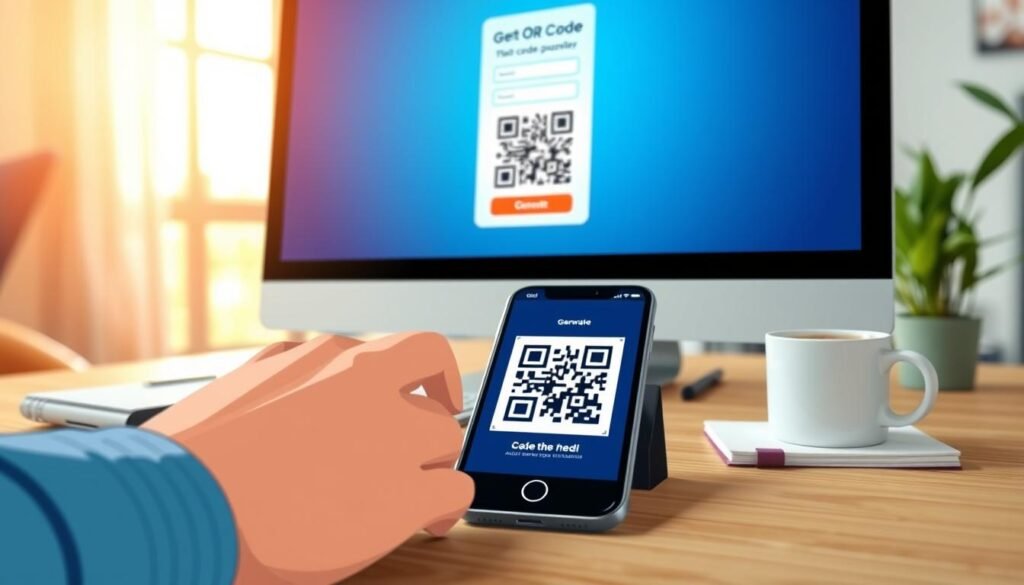
Creating your own QR code is simpler than you might think! Just follow these easy steps, and you’ll have your code ready in no time.
Step 1: Pick the QR Code Type
First, decide what kind of code you want. Are you linking to a website, sharing a PDF, or maybe a vCard with your contact details? The type you choose depends on where you want people to end up after they scan, so think about that for a second before diving in.
Step 2: Add Your Information
Once you’ve picked the type, just type or paste in your information. This could be a URL, some text, or a phone number—whatever fits your goal. Double-check what you entered, because a tiny typo in a web address can send people to the wrong place, and that’s just frustrating for everyone.
Step 3: Customize the Look
Now comes the fun part! You get to play with how your code looks. Change the colors, round the corners, and even add a logo if you want. You can see your changes happen in real time, so you know exactly what you’re getting before you download anything.
Step 4: Download and Share
When you’re happy with how it looks, hit that download button and pick your format. PNG works great for most things. The whole process takes maybe a couple of minutes once you know what you’re doing, and even your first time won’t take more than five. Don’t forget to test your code with your phone before you print a thousand copies, just to make sure everything works the way you expect.
After that, you’re done! Share it anywhere—put it on flyers, add it to your email signature, or slap it on product packaging. The world’s your oyster!
Design Your QR Code Your Way
Why settle for ordinary when you can design a unique QR code that reflects your style? With our code generator, you can customize every aspect of your QR code. It’s not just about functionality; it’s about making something that stands out and grabs attention!
Choose Colors and Patterns
Nobody said QR codes have to be boring black and white squares. You can make yours look pretty darn cool with just a few clicks! Pick colors that match your brand or go with something that catches the eye. The generator lets you change every element separately, making it easy to create a code that truly represents you.
Add Logos Without Losing Scannability
Adding a logo right in the middle of your code is a great way to make it feel like yours. The trick is that QR codes have built-in error correction. This means they can handle up to 30 percent of the code being covered up! So as long as your logo isn’t huge and doesn’t interfere with the corner markers, your code will still scan perfectly every time.
Use Gradients and Shapes to Stand Out
Gradients are another way to make your code pop! A nice color fade can look really sharp on a flyer or product label. Attractive codes actually get scanned more often; people are curious when something looks good instead of like a random blob.
You can also tweak the corner shapes and the body pattern. Go with rounded edges or circles, or keep it classic with squares. Play around with different looks and test them with your phone. You might be surprised how much a little color can change things!
Plus, you can save your design settings and reuse them later if you’re making a bunch of codes for the same campaign. Have fun experimenting and make your QR code truly yours!
Downloading Your QR Code: Formats and Quality
Once you’ve created your QR code, it’s time to choose the best way to save it. When it’s time to download your code, you’ve got a few format options. Picking the right one makes a big difference in how your code will look and function.
High Resolution PNG for Print
PNG is your go-to for most everyday uses. It’s a high-resolution image file that works great for digital use and decent printing. If you’re printing something big, like a poster or a banner, remember to crank up the pixel size before downloading that PNG. This ensures your code looks sharp and clear.
Vector Files SVG, PDF, and EPS Explained
Vector files are where things get really good for professional printing. SVG is the star of the show here. SVG files keep all your design choices intact, including colors, logos, and rounded corners. You can scale an SVG up to billboard size or down to a business card, and it will stay crisp and clear with no pixelation.
PDF and EPS formats are available too, but they only support classic QR codes without the fancy design elements and logos. So, if you added a logo or custom colors, stick with SVG or a high-res PNG to keep all that work you put into the design.
Choosing the Right Format for Your Project
For most people making codes for social media or email signatures, a standard PNG download is more than enough. Think about where your code is going to live before you download. A tiny phone screen needs different quality than a storefront window decal. Understanding these formats helps ensure your QR codes look great wherever you use them!
Understanding Static vs Dynamic QR Codes
Understanding the difference between static and dynamic codes can help you choose the right option for your needs. Each type has its own benefits and use cases. Let’s break them down simply so you can decide which one fits your project best.
Static QR Codes: Set It and Forget It
Static codes are the straightforward option. You input your information once, and that code points to the same destination forever. Think of a static code like writing something in permanent marker. It won’t change, and that’s perfectly fine for many situations.
For example, your website URL on a business card or your WiFi password on a sticker doesn’t need to change. Static codes work great for these scenarios. They never expire and remain active as long as the linked content is available.
Dynamic QR Codes: Change and Track Anytime
Dynamic codes are different because they use a short redirect link. This means you can change where that link points at any time. For instance, if you print a thousand flyers with a dynamic code and later decide to send people to a different landing page, you can just update it online.
No reprinting is necessary, and there’s no waste of materials. Just log in and switch the destination—it’s pretty slick for marketing campaigns. Dynamic codes also let you track scans, showing how many people scanned, when they scanned, and what device they used.
The tradeoff is that most free generators limit how many dynamic codes you can create, often just a couple on the free plan. Static codes have no limits at all; you can make as many as you want, and they’ll work until the end of time.
If you’re unsure which one you need, ask yourself if you might want to change the destination later. If yes, go dynamic; if no, stick with static.
How Businesses and Marketers Use QR Codes
Businesses today are discovering innovative ways to leverage QR codes for enhanced engagement. These versatile tools are changing how companies connect with their customers, making interactions easier and more efficient. Here are some practical applications across various industries:
Boost Campaigns with Easy Access
Marketers are tapping into the power of QR codes to connect with customers like never before. For instance, retail stores can use them on product packaging. This allows customers to access how-to videos or warranty registration with a simple scan. It saves them from typing long URLs, enhancing their shopping experience.
Share Contact Info and Menus Quickly
Restaurants have really embraced QR codes, especially for menus. Instead of printing new ones every time prices change, they just update a PDF. This makes it easy for customers to access the latest offerings without the hassle of physical menus.
In real estate, agents put codes on for-sale signs. This way, people walking by can instantly see photos and pricing without needing to call anyone. It’s a quick and effective way to share property details.
Gather Customer Feedback and Data
Healthcare offices have also found innovative uses for QR codes. They place them in waiting rooms so patients can check in or fill out forms on their phones. This reduces the need for shared clipboards and streamlines the process.
Gathering feedback is way easier with a code that leads straight to a survey. People are more likely to respond when it’s just a quick scan. Marketers love dynamic codes for campaigns because they can track exactly how many people scanned from a specific flyer or poster.
In summary, the key is making the scan worth it. Offer something useful, like a discount code or helpful info, and customers will keep scanning. With these practical applications, businesses can enhance customer experiences and improve their marketing efforts.
| Industry | Use Case | Benefits |
|---|---|---|
| Retail | Product packaging links to videos | Saves time, enhances experience |
| Restaurants | Digital menus | Easy updates, reduces printing costs |
| Real Estate | For-sale signs with property details | Instant access for potential buyers |
| Healthcare | Patient check-in | Streamlines process, reduces contact |
| Marketing | Dynamic codes for campaigns | Track engagement, adapt strategies |
Best Places to Put Your QR Codes for Max Impact
Maximizing the visibility of your QR codes can greatly enhance their effectiveness. Knowing where to place them is just as important as how they look. A beautiful code that nobody can reach is pretty useless. Here are some practical tips to help you choose the best locations for your codes.
Packaging and Product Labels
Product packaging is a natural fit for QR codes. Consider placing a code on the box that links to setup instructions or a recipe book for food items. This gives customers easy access to helpful information, enhancing their experience with your product.
Flyers, Posters, and Business Cards
When using flyers and posters, ensure the code is large enough to scan from a reasonable distance. Aim for at least an inch square for handheld items. Business cards have limited space, but a small code in the corner works well since people hold cards close to their phones.
Storefronts, Tables, and Digital Signage
For storefronts and billboards, your code needs to be much bigger. The general rule is about 0.8 inches of code size for every 10 feet of scanning distance. This ensures that passersby can easily scan the code from afar. Restaurant tables are also perfect spots, as customers are already sitting there with their phones out. A code for the menu or a feedback form can be highly effective.
Digital signage, like TV screens in waiting rooms, can display codes too. Just make sure there’s enough contrast against the background. Always leave some blank space around your code; this quiet zone helps scanners figure out where the code starts and ends.
Finally, always test the placement before committing to printing hundreds of copies. Stand where your customers would stand and try scanning it yourself. This will help you ensure that your codes are easy to access and scan.
| Location | Recommended Size | Notes |
|---|---|---|
| Product Packaging | Minimum 1 x 1 inch | Link to instructions or recipes |
| Flyers and Posters | At least 1 inch square | Ensure visibility from a distance |
| Billboards | Large enough for 0.8 inches per 10 feet | Consider distance for scanning |
| Business Cards | Small code in the corner | Easy access for handheld scanning |
| Restaurant Tables | Minimum 2 x 2 cm | Perfect for menus or feedback |
Exclusive Perks of Our Free QR Code Generator
Unlock a world of possibilities with our exceptional QR code tool. This platform is designed to make your experience seamless and enjoyable. Let’s dive into what makes our service stand out from the rest.
No Watermarks or Hidden Fees
Many so-called free tools out there will slap a watermark on your code or charge you for essential features. That’s not how we operate! Every code you create comes out clean, with no branding or watermarks. You get exactly what you asked for—nothing extra.
Commercial Use Without Limits
Feel free to use your codes for any purpose. Whether it’s for products you sell or marketing materials for clients, our service supports your business needs. There are no hidden restrictions or fine print saying it’s only for personal use.
Lifetime Validity and Unlimited Scans
Your codes will stay active forever. Seriously, there’s no expiration date, and you won’t hit any limits on how many times people can scan them. Some services deactivate codes when a trial ends, but that won’t happen here. Your codes remain functional as long as you need them.
We value your privacy and do not store or reuse your data. Our platform is fully GDPR compliant, ensuring you are covered if you’re dealing with customers in Europe. Plus, you don’t need to register or create an account to generate static codes—just visit the page and start creating!
If you want dynamic codes with tracking features, we offer a free account option that allows you to create a couple without any charge. If you have questions or need support, our team is here to help!
Tools and Integrations to Manage Your QR Codes
Managing your QR codes effectively can make a world of difference in your marketing efforts. With the right tools, you can easily track scans, organize your codes, and create them in bulk. These features simplify your workflow and help you focus on what truly matters—connecting with your audience.
Track Scans and Analyze Performance
One of the most powerful aspects of our tool is its ability to track your codes. You can gain insights into how many people scanned your code, when they did it, and what type of device they used. This data is invaluable for understanding your audience and improving your marketing strategies.
Additionally, you can see scan locations on a map. This feature helps you identify which flyer distribution spots are performing well. By analyzing this data, you can make informed decisions to optimize your campaigns.
Organize Codes with Campaign Folders
Once you start making a bunch of codes for different projects, keeping them organized starts to matter a lot. Campaign folders let you group codes by project or client. This way, you won’t be scrolling through a giant list trying to find the right one. It streamlines your workflow and saves you time.
Bulk Creation and Easy Editing
Bulk creation is a lifesaver when you need dozens or even hundreds of codes. Just upload a CSV file with all your URLs, and the system generates everything at once. This feature allows you to create codes efficiently, making it perfect for large projects.
Editing dynamic codes is simple too. Just log in, change the destination URL, and every printed code instantly points to the new location. You can also set up scan notifications to receive an email whenever someone scans your code, complete with details about when and where.
All of this tracking is fully GDPR compliant, ensuring you respect privacy while gathering useful data. If you ever want to switch to a different provider, you can export all your data and take it with you—no lock-in nonsense!
Simple Tips to Make Sure Your QR Codes Work Perfectly
To ensure your QR codes function flawlessly, follow these straightforward tips. There are several reasons why a QR code may not work as intended. By checking a few key elements, you can troubleshoot and fix common issues.
Check Contrast and Size
The number one reason codes don’t scan is contrast. If your code is light gray on a white background, phone cameras struggle to read it. Keep the dark parts actually dark and the light parts light. The foreground should always be darker than whatever’s behind it.
Size matters too! A code smaller than about an inch square can be hard for some phones to focus on, especially older models. Ensure your QR code is big enough for easy scanning.
Avoid Too Much Design Interference
When adding logos or custom colors, don’t go overboard. Covering more than 30 percent of the code or distorting the corner squares can cause problems. Those three big squares in the corners help scanners orient themselves. If you distort or cover them, the whole thing falls apart.
Test With Different Scanners
Always test your code before printing a large batch. Don’t just use one phone; try a couple of different devices if you can. Android and iPhone cameras handle codes slightly differently, and some third-party scanner apps are pickier than others.
If your code isn’t working, first check for typos in the URL or information you entered. A missing letter can break everything. Codes packed with too much data are harder to scan. If you’re making a vCard with every possible field filled out, try trimming it down.
Lastly, print quality matters too. A blurry or pixelated code from a low-res download won’t scan well. Stick with high-resolution or vector formats for anything printed.
Real-Life Stories: How People Use QR Codes Every Day
Every day, people are finding innovative ways to use QR codes in their lives. These little squares are transforming how businesses operate and how customers interact with products and services. Let’s explore some inspiring stories that highlight the impact of QR codes.
Small Businesses Growing with QR Codes
Irene Martinho, a small business owner, shared her experience:
“I was looking for a quick and easy way to create a QR code that looked good and didn’t expire without having to pay ridiculous monthly fees. Thank you!”
She found exactly what she needed, allowing her to create a visually appealing code without breaking the bank.
Many small businesses are following suit. They use codes on product packaging to share care instructions and styling tips that customers actually find useful. This not only enhances customer satisfaction but also strengthens brand loyalty.
Events and Conferences Made Easy
Event organizers are also embracing QR codes. They place them on badges and schedules, ensuring attendees always have the latest information without the hassle of reprinting materials. This was the case for Nathaniel Griffin, who stated,
“I have used QR Planet for my go-to QR Code management solution on a few projects since the early days. Their customer service has always been amazing.”
His positive experience showcases how codes simplify event management.
Creative Marketing Ideas That Work
Creative marketers are finding unique ways to incorporate QR codes into their campaigns. For instance, some have placed codes on coffee cup sleeves that link to curated playlists, while others have included them on receipts that direct customers to feedback surveys. Cheryl Arko noted,
“I started using QR Planet about a month ago and needed some help setting up my account and codes. The staff is wonderful! Incredibly responsive and helpful. My new code works like a charm.”
Her story highlights the importance of customer support in utilizing these tools effectively.
The common thread in all these stories is that QR codes work best when they provide something valuable to users, not just a random link to a homepage. By offering access to useful information or engaging content, businesses can enhance customer experiences and drive engagement.
Ready to Make Your Own QR Code? Download It Free and Start Now
Let’s get started on making your own custom QR code right now! You have all the tools you need, and the entire process takes just a couple of minutes.
No signup is required for static codes. Simply open the generator and start building; it really is that simple!
Choose your type, enter your URL or information, and tweak the colors if you wish. You can even download your code in any format that suits your needs.
Want to add a logo or play with gradients? Go ahead! Create something that truly reflects your brand.
Every code you make is free for commercial use, with no watermarks, expiration dates, or limits on scans. If you need tracking and the ability to edit destinations later, just grab a free account for dynamic codes.
Join millions who have already used this generator to create effective codes. Test your code with your phone camera right after downloading to ensure it scans correctly.
Whether it’s for a business card, product label, flyer, or a fun project, you’re ready to go. So open up the generator and make something useful—it’s free, and you’ll have your code in hand before you finish your coffee!
Get started now at QR Planet and create your own QR code without leaving your tab!