
Are you in need of a QR code quickly? You’re not alone! Many people want a simple way to create a code without the hassle of complicated software or endless sign-up forms. That’s where our easy free QR code generator comes in. It’s designed for everyone, regardless of tech skills.
Imagine this page as your go-to spot for every QR code you might need. Whether it’s for a business card, a flyer, or just sharing a link with friends, we’ve got you covered. The best part? You don’t have to download anything or create an account to get started.
Millions have already used this tool to create codes for various projects. And the codes you generate here will never expire, plus there’s no limit on scans. In the time it takes to finish your coffee, you’ll have a working QR code saved and ready to share!
Key Takeaways
- Quick and straightforward process for creating QR codes.
- No downloads or sign-ups required.
- Generated codes are permanent and can be scanned unlimited times.
- High-resolution codes suitable for print are available.
- Commercial use is allowed without any hidden fees.
What Is a QR Code and Why Use One?
Wondering how QR codes work and why they’re so popular? Let’s break it down. A QR code, which stands for Quick Response code, is a type of barcode that your phone can easily read. Invented by Denso Wave in 1994, these codes were initially used for tracking car parts in Toyota factories. Today, you can find them everywhere—from restaurant menus to billboards.
When you scan a QR code with your phone’s camera, it pulls up the information stored inside instantly. This could be a website link, a PDF file, or even someone’s contact details. Their versatility is what makes them so appealing.
Businesses are particularly fond of using these codes for marketing. They create a bridge between physical items, like flyers, and digital content, such as landing pages. Here are some reasons why QR codes are gaining traction:
- They can store various types of content, including URLs, plain text, email addresses, and even WiFi passwords.
- Most smartphones have a built-in scanner in the camera app, making it easy for users to start scanning right away.
- The type of data you embed determines the action taken when someone scans it, and you can update that data if you’re using a dynamic code.
- QR codes provide instant access to information, eliminating the need for long URLs or extensive searches online.
- From a marketing perspective, placing a code on your packaging or store window gives customers quick access to your website or special offers.
Meet Your Easy Free QR Code Generator
Looking for a straightforward way to create your own QR code? You’re in the right place! With our code generator, you can generate codes quickly and easily. Best of all, you don’t need any design skills or technical know-how to get started.
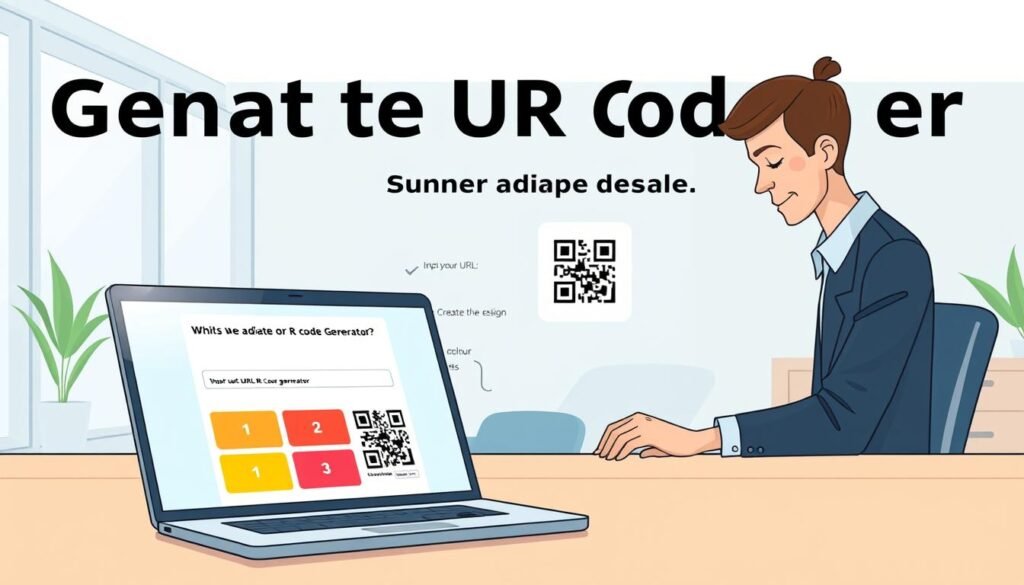
Here’s how it works:
- First, pick the type of content you want your code to link to. This could be a URL, a chunk of text, or contact information. Just type it into the box provided.
- Next, the generator does its magic and shows you a preview of your code right on the page. You’ll see exactly what you’re getting before you download it.
- If you want, you can tweak the design to make it your own. But if you’re short on time, just download the standard black and white version. You can finish the whole process in under a minute!
The process is so simple that even those who consider themselves not tech-savvy have created their first code without any help. There’s no software to install, and you won’t need to watch a tutorial video or read a manual.
Every time you create a code on our website, it generates a high-resolution image. This means your code will look sharp whether it’s on a business card or a billboard. Plus, you can create as many codes as you want without hitting any limits or paywalls.
Think of it like using a microwave: you put in what you want, press a button, and out comes exactly what you need—without any fuss!
| Step | Action |
|---|---|
| 1 | Select content type and enter details |
| 2 | Preview your code |
| 3 | Download your code |
Why This Easy Free QR Code Generator Stands Out
Curious about what makes this QR code creation tool a top choice? Let’s dive into the unique features that set it apart from the competition.
One of the standout features is the unlimited scans and lifetime validity of the codes you create. Unlike many other tools, which limit you to a certain number of scans or a set expiration date, our codes never expire. You can print them on items that may sit on shelves for years, and they will still work perfectly.
Many users appreciate that they can use every single code for commercial purposes without any hidden fees. This is a rare find in the world of QR codes. A lot of small business owners enjoy the flexibility of creating codes for their products, menus, and marketing materials without worrying about additional subscriptions.
Unlimited Scans and Lifetime Validity
Here are some key points that highlight why this tool is so valuable:
- Most free QR code generators allow you to create a code, but then it stops working after a month or caps you at 50 scans, which is pretty useless if you’re printing it on something.
- Our codes never expire, and there’s no scan limit at all. You can put your code on packaging that sits on shelves for years, and it’ll still work.
- The free code you generate today will still work five years from now, even if you never visit this website again.
- We don’t hold your codes hostage or make you upgrade to keep them active. Once they’re created, they’re yours forever.
Free for Personal and Commercial Use
Having lifetime access to your codes means you can embed them in things like book covers or product labels without worrying about them breaking later. Here’s why this feature is important:
- Many of our users run small businesses and love that they can create codes for their marketing materials without adding another subscription to their budget.
- The unlimited scans feature means you can print thousands of flyers for an event, and every person who shows up can scan your code without hitting a wall.
- Other generators often hide limitations in the fine print, but we’re upfront about it because we think it’s just the right way to do business.
In conclusion, the combination of no scan limits, no expiration, and full commercial rights makes this generator stand out from pretty much every other option available. It truly provides users with a reliable and flexible way to create QR codes that can serve various purposes.
| Feature | Description |
|---|---|
| Unlimited Scans | Codes can be scanned as many times as needed without limits. |
| Lifetime Validity | Generated codes never expire, ensuring long-term use. |
| Commercial Use | All codes can be used for business purposes without fees. |
| No Hidden Fees | Clear terms with no surprise costs for users. |
Customize Your Codes: Design and Colors
Have you thought about how a personalized QR code can enhance your brand’s visibility? Customizing your QR codes can make them more engaging and memorable. With our tools, you can easily add your own design elements to make your codes stand out.
Adding Logos and Branding
One of the best features is the ability to incorporate your logo right into the QR code. This not only makes the code look professional but also strengthens your brand identity. Here’s how it works:
- A plain black and white QR code works fine, but adding your own design and colors can make people way more likely to actually scan it.
- You can drop your logo right into the middle of the code, and it will still scan perfectly due to error correction that allows up to 30% of the code to be covered.
- The design options let you change the shape of the corner squares and the body of the code, so it doesn’t look like every other QR code out there.
- Adding your logo transforms a generic code into something that feels like it belongs to your brand, making it instantly recognizable.
Choose Colors and Shapes That Fit You
Playing around with colors is one of the most enjoyable parts of customizing your QR code. You can match the code to your brand colors or choose something that pops against your background. Here are some tips:
- There’s even a gradient feature that blends two colors together across the code body, creating a striking look, especially on digital screens.
- You can save your favorite design setups and reuse them later, which is handy if you’re creating multiple codes for the same campaign.
- Different types of codes might look better with different styles, so don’t hesitate to experiment with colors and shapes until it feels right.
- A well-designed QR code can actually boost your scan rates because people are curious about something that looks unique and intentional.
Types of QR Codes You Can Create
You might be surprised by the range of QR codes you can create for various applications. Each type serves a unique purpose, depending on what you want people to see or do after they scan it. Here’s a closer look at some common types:
URLs, Contact Info, Text, and More
One of the most popular types is the URL code. This type sends users directly to a website or landing page, making it ideal for marketing materials and business cards. But that’s just the beginning. Here are other useful types:
- vCard: This code stores your contact information. When scanned, it allows users to save your name, phone number, and email directly to their devices.
- Plain Text: These codes are handy for sharing instructions or short messages that don’t require an internet connection.
- Wi-Fi: A Wi-Fi code lets guests connect to your network by scanning it, avoiding the hassle of typing out long passwords.
- Email: You can create a code that opens a new email to a specified address, streamlining communication.
- PDF: This type links directly to a PDF file, perfect for sharing documents or brochures.
- App Downloads: Codes can link to app stores for easy downloads.
- Cryptocurrency: You can even create codes for wallet addresses, facilitating quick transactions.
Static vs. Dynamic QR Codes
Understanding the difference between static and dynamic codes is essential. Static codes are permanent. Once you set the content, it’s locked in. This is great for sharing links that won’t change.
On the other hand, dynamic codes offer flexibility. You can update the destination URL anytime, even after printing the code. This is particularly useful for businesses that want to track scans and gather data about user interactions.
Here’s a quick comparison:
| Type | Features |
|---|---|
| Static QR Codes | Content is fixed and never expires. Ideal for everyday uses. |
| Dynamic QR Codes | Content can be edited anytime. Track scans and user data. |
With our generator, you can create all these types and more, ensuring you have the right code for your needs.
Download Options That Work for You
When it comes to downloading your QR codes, you have options that suit every need. Choosing the right format can significantly impact how your code looks and functions in various settings. Whether you’re using it for a flyer, a business card, or a large banner, having the right file type is crucial.
High-Resolution Images for Print
Once you’ve made your code, you’ll want to download it in a format that looks good wherever you’re putting it. The PNG file is your go-to for most situations. You can crank the resolution up high enough that it looks sharp even on large printed materials.
For most people, the high-resolution PNG is more than enough. It works great for adding to flyers, social media posts, or even email signatures. Plus, the file size stays pretty small, so you won’t have trouble uploading your image to websites or sending it in messages.
Vector Formats for Crisp Quality
If you’re sending your code to a professional printer or a graphic designer, you’ll want the vector formats like SVG. These formats scale to any size without getting blurry, ensuring your design looks perfect. The SVG format is especially nice because it keeps all your design choices intact, including any logo you added and the colors you picked.
PDF and EPS formats are available too, but just know that those only support the classic black and white style without the fancy design elements. Print shops love the vector files because they can drop them right into their design software, and the code comes out crystal clear on the final product.
You can download your code in multiple formats without any extra steps. This way, you’re covered whether you need it for a tiny sticker or a massive banner. The download process is instant, and you don’t have to wait for an email or jump through any hoops to get your file saved to your device.
| Format | Features |
|---|---|
| PNG | High resolution for sharp prints; ideal for flyers and social media. |
| SVG | Scalable without loss of quality; retains design elements like logos. |
| Classic format, supports basic QR codes without design. | |
| EPS | Used for professional printing; supports standard QR codes only. |
Track Your QR Code Scans and Performance
If you’re utilizing QR codes for your business, tracking their performance is essential. Knowing how many people are scanning your codes can help you assess the effectiveness of your marketing strategies. With dynamic codes, you can gather unique insights about user interactions.
Here’s how you can monitor scans and gather user information:
How to Monitor Scans and User Info
- With dynamic codes, you can see exactly how many scans your code received and analyze the data by date. This helps you identify which days had the most activity.
- The tracking data also shows you where users are scanning from geographically. This is super useful if you’re running a campaign across different cities.
- You can even see what kind of device people are using, whether it’s an iPhone or Android, and which operating system version they have.
- All this information helps you figure out if your marketing materials are working and where to focus your efforts next time.
GDPR-Compliant Tracking
It’s important to note that tracking is fully GDPR compliant. This means you’re not collecting personal data without consent, keeping everything above board legally. Here are some key features of our tracking solution:
- You can set different levels of data protection based on your market and how much information you actually need.
- Access to scan analytics turns your QR code from a static link into a real marketing tool that provides feedback on your campaigns.
- The dashboard displays everything in a clean, simple layout, so you don’t need to be a data analyst to understand what’s happening with your codes.
- You can even set up email notifications that inform you whenever someone scans your code, along with the location and time of the scan.
In conclusion, tracking your QR code scans not only enhances your understanding of user engagement but also empowers your marketing efforts. By leveraging this data, you can make informed decisions and optimize your campaigns effectively.
| Feature | Description |
|---|---|
| Scan Count | Track the total number of scans your code receives. |
| Geographical Data | See where users are scanning from. |
| Device Information | Understand what devices users are using. |
| GDPR Compliance | Ensures no personal data is collected without consent. |
| Email Notifications | Receive alerts when your code is scanned. |
Tips for Printing and Sharing Your QR Codes
Creating a QR code is just the beginning; knowing how to print and share it effectively is equally important. A well-printed code ensures that users can scan it easily, leading to better engagement. Here are some tips to help you get the most out of your QR codes.
Size is probably the biggest factor, and you want your code to be at least 2 by 2 centimeters, which is roughly the size of a postage stamp for anything printed. If you’re putting your code on a billboard or a large poster, you can go bigger, but don’t go smaller than that minimum. Otherwise, people’s phones might struggle to read it.
Contrast matters a ton. The basic rule is that the dark parts of the code need to be darker than the background. Avoid light colors on white paper. There’s also something called a quiet zone around the edge of the code that needs to stay clear of other text or images. This little white border helps scanners find the code.
Different materials can affect how well your code scans. For example, glossy paper might cause glare issues, while textured surfaces can distort the pattern. Always test your code before you print a thousand copies. Once it’s on paper, you can’t fix a typo in the URL or a design problem.
If you added a logo, make sure it’s not too big. Covering more than 30 percent of the code can mess with the error correction and make it unscannable. For digital sharing, like on social media or in emails, the same contrast rules apply. Ensure the image isn’t compressed so much that it gets fuzzy.
Vector formats are your best friend for printing. They keep everything sharp at any size, and professional printers will thank you for sending them an SVG file.
| Tip | Description |
|---|---|
| Minimum Size | Ensure your QR code is at least 2 x 2 cm for optimal scanning. |
| Contrast | Use dark colors for the code against a lighter background. |
| Quiet Zone | Maintain a clear border around the code for better readability. |
| Material Choice | Avoid glossy or textured surfaces that may distort the code. |
| Testing | Always test the code before mass printing. |
| Logo Size | Keep logos under 30% of the code area to ensure scannability. |
| Vector Formats | Use SVG files for sharp prints at any size. |
Make the Most of Your QR Codes for Business and Marketing
QR codes can be a game-changer for your business and marketing efforts. These versatile tools can store various types of information, making them perfect for gathering feedback, increasing customer engagement, and promoting your brand. Whether you’re looking to connect with users through images or videos, QR codes can elevate your marketing campaigns.
Here are some ways to effectively use QR codes:
- Connect Physical and Digital: If you run a business, QR codes are one of the cheapest and easiest ways to link your physical marketing materials to your online presence.
- Enhance Packaging: Putting a code on your product packaging lets customers scan it for recipes, instructions, or warranty information without searching your website.
- Boost Flyers and Posters: Flyers with QR codes perform significantly better than those with just a URL, as no one wants to type out a long web address on their phone.
- Run Marketing Campaigns: Use codes to enter giveaways, receive discount codes, or access exclusive content that’s not available anywhere else.
- Update Menus Easily: Restaurants can use QR codes on tables for menus, allowing them to update links without reprinting anything.
- Business Cards: Adding a code to your business card gives people an instant way to save your contact information or visit your portfolio without typing anything manually.
- Retail Store Engagement: Retailers can place codes on shelf tags that link to product videos or reviews, helping customers make decisions right in the aisle.
- Track Marketing Success: By creating different codes for various campaigns, you can compare scan data and determine which channels work best.
- Email Signatures: Including a QR code in your email signature that links to your booking page or latest offer adds a marketing punch to every message you send.
- Gather Feedback: Use a QR code that links to a survey to gather feedback effectively, ensuring more responses than hoping people will find it on their own.
- Social Media Sharing: Post an image of your QR code on social media, allowing people to scan it directly from their screens to visit your link.
The key to making all this work is placing your code somewhere visible with a clear call to action. Tell people exactly what they’ll get by scanning it. By utilizing QR codes in these ways, you can significantly enhance your marketing strategies and connect with your audience more effectively.
Support and Resources When You Need Them
If you’re having trouble with your QR code, you’re not alone. Many users encounter issues from time to time, but the good news is that most problems are easy to fix. Let’s explore some common troubleshooting tips and resources to help you out.
Troubleshooting Common Issues
Even though making a QR code is straightforward, things can sometimes go wrong. Here are some common issues and quick fixes:
- The most frequent problem is a typo in the URL or content you entered. Double-checking your link before downloading the code can save you a headache later.
- If your code isn’t scanning, try removing any logo you added. Sometimes, the image might be too big and can throw off the scanner.
- Contrast problems are another big issue. If your code colors are too light or too close to the background color, phones might not be able to read it at all.
- For long data entries, like a detailed vCard, consider trimming it down. Less data means easier scanning.
Browser and Device Compatibility
The generator works on all modern browsers, including Chrome, Firefox, Safari, and Edge. If something seems off, try switching to a different browser. Your phone’s built-in camera app can scan codes on both iPhone and Android devices. If it’s not working, check your settings to ensure QR scanning is enabled.
Some older devices might need a third-party scanner app, but most of those are free and work just as well as the built-in ones. Remember, having the right tools can make a big difference in your experience.
For any lingering questions, our support resources cover pretty much every common issue. You can usually find answers in just a couple of minutes without waiting for help. We also have articles and guides that walk you through troubleshooting step by step, written in plain language without technical jargon.
Ready to Create Your Own QR Code? Get Started Now!
Now is the perfect time to dive into creating your own unique QR code. You’ve made it this far, and there’s just one thing left to do: start using it in the real world. The entire process takes less than a minute, and you won’t need an account or a credit card to get your first code downloaded.
Simply choose your content type, enter your link or information, and hit generate. In seconds, you’ll have a working QR code ready to download. You can customize the design, add your logo, and play with colors, or just grab the standard version if you’re in a hurry.
Every code you create is free forever, with no scan limits or expiration dates. People use these codes for everything from business cards and product packaging to wedding invitations and restaurant menus. The possibilities are endless!
If you’ve been hesitant to make a QR code, now’s the time to give it a shot. The generator is right here on this page, waiting for you. There’s nothing standing between you and a finished QR code except a few clicks. Create your free code now and see why millions trust this tool for all their QR code needs!