
In today’s fast-paced world, QR codes have become a staple in our daily lives. From restaurant menus to product packaging, these little squares make sharing information a breeze. Whether you’re a small business owner or just someone who wants to share a link quickly, having a reliable tool is crucial.
Finding a trustworthy code generator can save you time and headaches. You want a solution that actually works when people scan it. Not all free tools are created equal, and some come with hidden limits. A good generator allows you to create codes without forcing you to sign up or pay for basic features.
One popular option is QRCode Monkey, which has millions of users and offers high-resolution designs that never expire. In this guide, we’ll explore everything from design options to tracking scans, so you know exactly what to expect.
Key Takeaways
- QR codes are essential for sharing information quickly.
- A reliable tool can save you time and effort.
- Not all free tools are equal; some have hidden limits.
- A good generator allows easy creation without sign-ups.
- QRCode Monkey is a popular choice with millions of users.
What Is a QR Code and Why Should You Care?
Have you ever noticed those little square patterns on products or advertisements? Those are known as QR codes, which stand for Quick Response Codes. Invented by Denso Wave in 1994, these two-dimensional barcodes store various types of information in a grid of black and white squares.
When you scan a QR code with your smartphone camera or a dedicated scanner, it instantly provides access to the stored content. This can include website links, contact details, payment data, or even plain text. Scanning is quick and eliminates the need to type long URLs.
Modern devices come equipped with built-in scanning capabilities in their camera apps. This means you don’t need any additional apps to read these codes. For example, if you see a QR code on a restaurant menu, scanning it could take you directly to their website or a digital menu.
Businesses love using these codes because they seamlessly connect offline materials to online content. Whether it’s on flyers, packaging, or business cards, QR codes make it easy for customers to engage with a brand without any hassle.
There are two main types of QR codes: static and dynamic. Static codes contain fixed data, while dynamic codes can be edited and tracked. This flexibility is one reason why having a reliable code generator is so valuable. It allows anyone to create these codes without needing technical skills.
In summary, QR codes are not just a passing trend. They are practical tools that enhance how we share information quickly and efficiently. With their growing presence, understanding how to use them can be beneficial for everyone.
| Type of QR Code | Description | Use Cases |
|---|---|---|
| Static | Contains fixed data that cannot be changed. | Business cards, product packaging |
| Dynamic | Editable and can track scans over time. | Marketing campaigns, event promotions |
How to Create Your Free QR Code in Just a Few Clicks
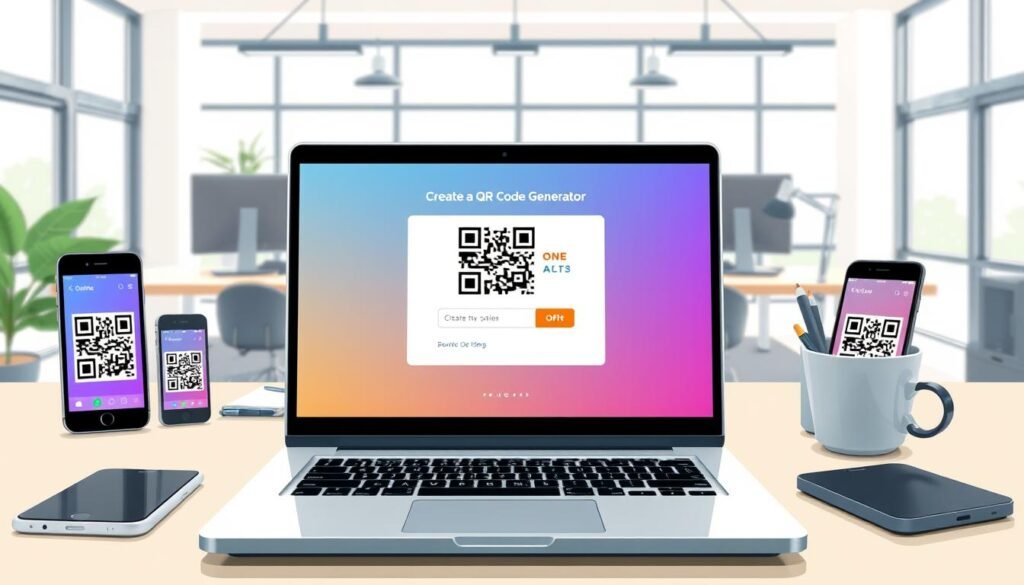
Ready to make your own QR code? Let’s dive into the steps. First, choose the type of QR code you want. This could be a link to a website, a PDF download, or even your contact details. Each type serves a different purpose, so pick what suits your needs best.
Next, it’s time to add your details. Input the information you want to share, whether it’s a URL or text. Once that’s done, you can start to customize the design. Change colors, shapes, and even add a logo to make it uniquely yours. With a tool like QRCode Monkey, adding a logo is straightforward and won’t affect how well the QR codes work.
After you’ve customized your QR code, testing it in real time is a smart habit. Scan it with your smartphone to ensure it directs you to the right place. This quick check can save you from future headaches.
Once you’re satisfied, choose your preferred format for downloading. You can pick either PNG or SVG. Both formats ensure your codes look sharp, whether for print or digital use. The entire process takes less than a minute once you know what you’re doing, saving you valuable time on every project.
Plus, with options to create a free code, you can experiment without any pressure. Enjoy the creative process of making codes that look good and work every time!
Static vs Dynamic QR Codes: What’s the Difference?
When it comes to sharing information, understanding the types of QR codes can make a big difference. There are two main types: static codes and dynamic codes. Each serves a unique purpose and has its own advantages.
Static codes are like writing in permanent marker. Once you set the URL or content, it’s locked in forever. This is perfect for information that doesn’t change, such as your home WiFi password. As long as the linked content is available, static codes never expire.
On the other hand, dynamic codes offer more flexibility. You can edit the destination link anytime, which is a lifesaver if you’ve already printed a thousand flyers. For example, if you have a marketing campaign with a special offer, you can change the link without needing to reprint your materials.
Here are some key differences:
- Static Codes: Fixed data, cannot be changed once created.
- Dynamic Codes: Editable and can track scans over time.
- Expiration: Static codes never expire; dynamic codes depend on the provider’s terms.
- Tracking: Dynamic codes let you see how many people scanned your code and where they were.
In summary, both types have their place. A good tool lets you create either kind without hassle. Choose the one that fits your needs best!
Features That Make a Great QR Code Generator Free Online
Creating a standout QR code requires a tool that offers impressive features. With the right code generator, you can create unique and effective codes that catch attention and serve your purpose well.
Let’s explore some key features that make a generator truly exceptional.
Design Options: Colors, Shapes, and Adding Your Logo
One of the first things to consider is the design options available. A great tool allows you to customize the shape and form of your QR codes. You can change colors and even add a logo to make your code look more trustworthy and professional.
Imagine creating a code that reflects your brand identity! You can set your own colors for all elements of the code. Adding a gradient color to the body can really make it stand out. You can also customize corner shapes, ensuring your codes look unique on any flyer or product label.
High-Quality Formats for Print and Digital Use
When it comes to quality, the formats you can download matter a lot. You want your codes to look sharp whether they are on a large banner or a tiny business card. A solid generator will offer high-resolution options.
For best results, choose formats like .svg or .pdf. These vector formats maintain quality no matter the size, making them perfect for professional printing. Remember, a high-quality code ensures that it remains scannable, no matter where it’s displayed.
Tracking Your QR Code Scans and Campaign Insights
Tracking is another vital feature. A good generator allows you to monitor how many people scan your code and when they do it. This data can provide insights into the effectiveness of your marketing campaign.
Being able to update your QR code later is also a huge plus. If you change your link or want to direct users to new content, a flexible generator lets you do that without needing to reprint your materials.
In summary, choosing a tool with excellent features can significantly enhance your ability to create effective QR codes. With great design options, high-quality formats, and robust tracking capabilities, you can ensure your codes not only look good but also perform well.
Using QR Codes for Business and Personal Purposes
In today’s digital age, the versatility of QR codes makes them invaluable for both businesses and personal use. From enhancing customer experiences to simplifying information sharing, these tools can transform how we interact with the world around us.
Let’s explore how various industries leverage these codes:
- Retail: Businesses can enable contactless checkout, link directly to product pages, or even collect customer reviews with a simple scan. Imagine a shopper scanning a code on a product to read reviews or access special offers.
- Real Estate: Agents can share virtual tours, property details, or contact information directly from for-sale signs or brochures. A potential buyer can scan a code to instantly view a property’s online listing.
- Healthcare: Clinics can simplify appointment bookings, share digital reports, or guide patients to the right information. A code in the waiting room could allow patients to access test results without making a phone call.
- Education: Teachers can use QR codes for lesson handouts, assignments, or links to learning platforms. Students can scan codes to access resources quickly, enhancing their learning experience.
- Events: Organizers can make check-ins seamless, deliver digital tickets, or provide access to event schedules and maps. This reduces paper waste and long lines at entry points.
- Hospitality: Restaurants can replace physical menus, collect feedback, or promote special offers at tables or check-in counters. A code can link to a PDF menu, making it easy for customers to browse options safely.
You’ll also find personal uses for these codes. For instance, placing a code on your business card can save your contact details directly to someone’s phone. Adding a code to your email signature or social media makes it easy for people to find your website or portfolio.
The type of code you choose depends on what you want people to do. Whether it’s calling you, downloading a PDF menu, or watching a video, there’s a code for every purpose. The beauty of these tools is that they aren’t just for large corporations; freelancers, teachers, and anyone looking to share information can benefit from using them.
In conclusion, QR codes simplify interactions and enhance customer engagement across various sectors. They’re practical, easy to use, and can make life easier for both businesses and individuals alike.
Best Spots to Place Your QR Codes for More Scans
Strategic placement of your QR codes can lead to more scans and interactions. Here are some of the best locations to consider:
- Packaging: Add QR codes to product boxes, labels, or inserts. This allows customers to access manuals, how-to videos, or warranty details effortlessly.
- Business Cards: Including a QR code on your business card makes it easy for others to save your contact details. No one enjoys typing long URLs or email addresses!
- Posters and Flyers: Place QR codes on marketing materials in coffee shops or community boards. This encourages people to pull out their phones during their downtime.
- Storefronts and Signage: Position QR codes on windows or entryways. This helps passersby explore menus, leave reviews, or check out new arrivals even when your business is closed.
- Email Signatures: Adding a QR code to your email footer allows recipients to book meetings or visit your website quickly.
- Tables and Counters: Place QR codes where customers wait or dine. This can showcase menus, collect tips, or request feedback on the spot.
Additionally, the design of your QR code matters. A colorful, branded code catches more eyes than a plain one. Ensure your code is at the right height and size so people don’t have to awkwardly crouch or squint to scan it.
By following these tips, you can significantly enhance the visibility and effectiveness of your QR codes, making it easier for people to engage with your content.
Simple Tips to Make Sure Your QR Codes Always Work
Ensuring your QR codes work seamlessly is essential for effective communication. There are several reasons why a code might not function as expected. Let’s go over some simple tips to help you troubleshoot before sharing your codes with the world.
First, double-check the data you entered. Sometimes, a tiny typo in your URL can break your code. Even one wrong character can lead to frustration when someone tries to scan it.
Next, consider the amount of information you include. Some codes, like vCards, can hold a lot of data. If possible, try to reduce the content. Keeping it simple can make it easier for various devices to read.
Also, pay attention to the design of your code. Make sure there is enough contrast between the foreground and background colors. The foreground should always be darker than the background. This contrast helps the camera pick up the pattern effectively.
Don’t forget about the quiet zone! This is the blank space around your code. Leaving enough space allows scanners to recognize where the code starts and ends.
When it comes to size, follow these guidelines: the minimum size should be 1 x 1 inch (2.5 x 2.5 cm). For print, ensure it is at least 0.8 inches (2 cm) per 10 feet of scanning distance. Testing your code at the intended size before finalizing is crucial.
Finally, test your QR code with different devices and apps. This practice can save you a lot of headaches later on. A little testing goes a long way to make sure your codes work every time someone tries to scan them.
Why Customizing Your QR Code’s Look Matters
The appearance of your QR code can influence how often it’s scanned. A customized design not only makes your code visually appealing but also enhances brand recognition. When your QR code stands out, it invites users to engage with it.
People are naturally drawn to designs that look intentional. By matching your code’s colors to your brand, you create a cohesive look across your product packaging and printed materials. For example, a vibrant, well-designed QR code can make a flyer or business card feel more professional.
Adding your logo to the center of the code builds trust. When users see a familiar brand, they feel safer scanning it. This simple addition can significantly increase the likelihood of interaction.
Small design tweaks, like rounding the corners or incorporating a gradient, can modernize your QR code. These adjustments help it feel less like an afterthought and more like a key part of your marketing strategy.
Importantly, customizing does not mean sacrificing scannability. Ensure there is enough contrast between the dark and light parts of your code. A well-designed code can still be easily scanned by any device.
Using a quality generator, you can access ready-made templates that simplify the design process. You don’t need graphic design skills to create an eye-catching QR code.
Ultimately, good design leads to real results. More scans mean more people accessing your content or offers. By investing time in customizing your QR codes, you enhance your brand’s visibility and effectiveness.
The Advantages of Dynamic QR Codes for Marketing Campaigns
Dynamic QR codes offer unmatched flexibility for modern marketing strategies. These codes allow you to edit the destination later and track scans, making them invaluable for any marketing campaign.
One of the biggest advantages of a dynamic code is that you can change the destination URL without needing to reprint anything. This means you can launch a campaign with a link to a seasonal offer and then switch it to a new promotion next month using the same code on the same packaging or flyer.
Here are some practical benefits of using dynamic codes:
- Real-Time Tracking: You can see how many people scanned your code, what time of day they did it, and which cities they were in. This data helps you understand if your marketing is working or if adjustments are needed.
- Event Promotions: For events where details may change last minute, you can update the link to the new schedule or venue without scrambling to reprint materials.
- Product Packaging: Businesses can use dynamic codes on product packaging to link to different content over time. For instance, one month you might link to a recipe video, and the next month to a review page.
- Centralized Management: A good code generator allows you to manage all your dynamic codes in one dashboard, making it easy to stay organized.
- Cost-Effective Testing: While dynamic codes often come with paid plans, many services offer a couple for free. This lets you test the waters before committing.
In summary, dynamic codes are a game changer for anyone running marketing campaigns. They provide flexibility, valuable insights, and the ability to adapt your strategy as needed. By leveraging these codes, businesses can enhance their marketing efforts and drive better results.
Devices, Browsers, and Apps: Scanning Made Easy
Today’s smartphones make scanning QR codes a quick and effortless task. Most modern devices come equipped with built-in scanning capabilities right in their camera apps. To scan a code, simply open your camera, point it at the QR code, and hold steady for a few seconds. Your device should automatically recognize it and display a notification.
If your phone doesn’t scan automatically, don’t worry! You can easily download Google Lens or another third-party scanner from the app store. These apps are free and user-friendly, ensuring you can access the information you need without any hassle.
Different web browsers also support QR code creation. Browsers like Chrome, Firefox, Safari, and Edge work smoothly for generating codes. This means you can create your codes easily on any of these platforms.
Here are some common situations where scanning a QR code can be beneficial:
- Business Cards: Save a contact directly to your phone.
- Restaurants: Access a PDF menu without touching a physical menu.
- Events: Attendees can quickly check in or view schedules.
Event organizers can feel confident that their attendees will be able to access the content easily, regardless of the device they use. It’s a good idea to test your QR codes on different phones before launching a marketing campaign. This helps catch any compatibility issues that may arise.
In summary, QR technology is already built into the devices people carry every day. You’re not asking anyone to download something obscure. With just a little guidance, anyone can scan and access valuable information effortlessly.
Keeping Your QR Codes Safe and Protecting Your Data
As technology evolves, the importance of safeguarding your information while using QR codes cannot be overlooked. These codes are simply tools; the real security lies in how you manage the links and content behind them.
Risks associated with these codes include phishing attempts and data transparency issues. Scammers sometimes replace legitimate codes in public places with their own. Always preview the link before opening it, especially if it looks suspicious.
Here are some practical tips to enhance your QR code safety:
- Use HTTPS Links: Always ensure that the URLs you link to are secure. This adds a layer of protection for users accessing your content.
- Choose Reputable Generators: Select a generator that does not store or sell your data. Look for services that prioritize user privacy.
- Monitor Your Codes: Regularly check your landing pages and URLs. This helps catch any issues before they affect your campaign.
- GDPR Compliance: If you collect scan data or contact information, ensure your practices comply with GDPR regulations. This builds trust with your audience.
- Be Transparent: Let users know where the QR code leads. This transparency encourages more scans and builds trust.
- Test Regularly: Frequently test your QR codes to ensure they lead to the correct content. This prevents users from landing on dead pages.
By following these simple habits, you can keep your QR codes secure and protect the data of those who scan them. Remember, the goal is to create a safe experience for everyone involved.
Ready to Create? Let’s Get Your Free QR Code Started
It’s time to unleash your creativity and design codes for your next project. Our tool allows you to create as many codes as you want, completely free of charge. No hidden fees or trial periods mean you can focus on what matters most—your ideas.
All generated codes are perfect for both personal and commercial use, and they never expire as long as the linked content is available. You can even track your codes’ performance with a free account, unlocking additional features without any commitment.
Got questions? Many users wonder if codes stop working after a while or if an account is needed to get started. The answer is simple: they don’t expire, and you can create basic codes without an account. This tool works seamlessly on any modern browser, letting you download your codes in various formats, from PNG for social media to SVG for billboards.
So why wait? Jump in and create your first code today. You’ll see how easy it is to make something that looks great and works perfectly!