
Are you in a hurry to get a QR code? You’re not alone! Many people need a quick and easy way to turn links or information into a scannable format. That’s where this handy tool comes in. It allows you to whip up a custom code in just seconds, no complicated steps involved.
Imagine transforming any link or text into a QR code that works perfectly on your business cards, flyers, or even product packaging. Millions have already taken advantage of this simple tool. Plus, you won’t have to worry about registration or hidden fees. It’s straightforward and user-friendly.
Every code you generate comes out in high resolution, ensuring it looks sharp on any device. Whether it’s on a smartphone or a large billboard, your codes will always shine. There’s no limit to how many you can create, and you can use them for commercial purposes without any hassle.
This page is your guide, walking you through everything from choosing the type of code to downloading your finished product. By the end, you’ll know how to make professional-looking codes every time.
Key Takeaways
- This tool offers a quick way to generate QR codes without complications.
- No registration or hidden fees are required.
- High-resolution codes are suitable for various uses.
- You can create as many codes as you need, for free.
- Easy step-by-step guidance is provided throughout the process.
What Is a QR Code and Why Should You Care?
Ever wondered what those black-and-white squares really are? They’re called QR codes, short for Quick Response codes. This barcode type was invented by Denso Wave in 1994. The name says it all: it allows instant access to information hidden within the code.
These codes are popping up everywhere, and for good reason. Depending on your device, you might already have a built-in scanner. Just open your camera app and point it at a code. Hold it steady for a few seconds, and voilà! A notification will appear, leading you to the information stored inside.
The Basics: Quick Response, Instant Access
A QR code is basically a fancy barcode that your phone can read in a split second. They first came about for tracking car parts in Toyota factories. Now, they’ve become a staple in marketing and business.
When you scan one of these codes, it instantly pulls up whatever information is stored. This could be a website link, a PDF, or even someone’s contact details. Most smartphones today come with a built-in scanner in the camera app, so no extra downloads are needed.
Common Uses That Make Life Easier
These little squares bridge the gap between physical items and digital content without any typing. You can store various types of information in a single code. This includes plain text, email addresses, WiFi passwords, and calendar events, making them incredibly flexible.
One scan gives people instant access to whatever you want them to see. That speed is what makes QR codes so useful for restaurants, events, and retail shops. Different types of codes serve different purposes, and choosing the right one can greatly enhance your marketing efforts.
Modern scanning technology has improved, so phones read codes almost instantly, even in less-than-perfect lighting. Once you start noticing QR codes in daily life, you’ll see them everywhere—from coffee shop menus to concert tickets. They just make things easier for everyone involved.
| Type of Information | Example | Common Use |
|---|---|---|
| Website Link | https://example.com | Marketing Materials |
| Contact Details | John Doe, 555-1234 | Business Cards |
| WiFi Password | MyWifiPassword | Restaurants |
| Calendar Event | Meeting on Friday | Event Invitations |
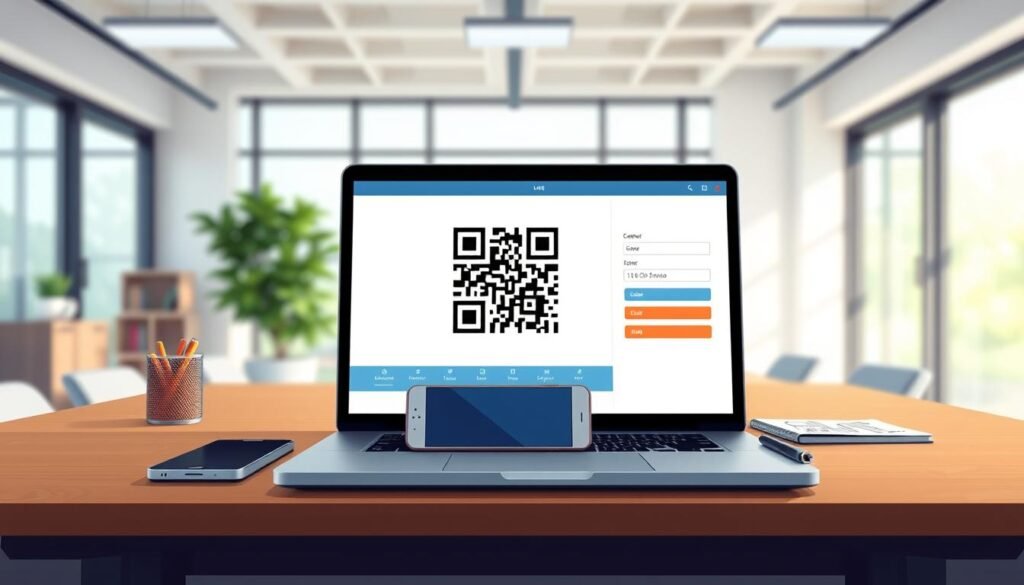
How to Create Free QR Codes Quickly and Easily
Need a QR code in a flash? It’s easier than you think! Let’s walk through the steps to generate your very own code, whether it’s for a URL, contact information, or even a WiFi login.
First up, you’ll want to pick the type of content you want your code to carry. You have plenty of options: URL links, vCard contact info, plain text, email addresses, SMS, Twitter, WiFi, and even Bitcoin details. Most folks go with the URL type since it’s the simplest way to direct someone straight to a website or online menu.
Pick Your QR Code Type: URL, Contact, Text, and More
Once you’ve chosen your type, just fill in the details in the fields that pop up. For instance, paste a link or type out a phone number and name for a contact code. The generator handles all the technical stuff behind the scenes, so you don’t need to understand how QR codes actually encode data to get a working result.
Step-by-Step: Filling Details and Generating Your Code
After you hit the generate button, your code appears right there on the page. You can see exactly what it looks like before you commit to downloading anything. It’s a quick and satisfying process!
Downloading Your QR Code: File Formats to Know
You’ve got options when it comes to file formats. Choosing the right one depends on whether you’re using the code online or printing it. For digital use, a PNG or JPG works perfectly fine. However, if you’re sending your code to a print shop, you’ll want a vector format like SVG or EPS that won’t get blurry at larger sizes.
The SVG format is especially handy because it keeps all your design settings intact and works well with most graphic design software. You can download a basic black and white code right away without signing up for anything, which is great when you’re in a hurry.
The whole process from picking your type to downloading the finished file takes maybe a minute once you know what you’re doing. Plus, there’s no limit on how many codes you can make!
| Type of Code | Content Example | Common Use |
|---|---|---|
| URL | https://example.com | Web Links |
| vCard | John Doe, 555-1234 | Contact Info |
| Plain Text | Welcome to our store! | Messages |
| WiFi | MyWifiPassword | Restaurants |
Key Features of Our Free QR Code Generator
Want your QR codes to stand out from the crowd? Our tool comes packed with features that let you customize your codes to reflect your brand’s personality. From logos to colors, you can make your codes truly yours.
Custom Logo and Branding Options
One of the coolest things about this code generator is that you can slap your own logo right in the center of the code. Thanks to built-in error correction, it still scans perfectly fine. Your code can lose up to 30% of its surface area and still work, so covering part of it with a logo won’t break anything.
Color and Design Choices That Stand Out
You’re not stuck with boring black squares either! You can change up the colors of every element, from the main body to the corner patterns and the background. Adding a gradient to your code body makes it look way more interesting. This can actually boost how many people bother to scan it in the first place.
The design options let you tweak the shape of the corner elements and the overall pattern. This way, your code can match your brand’s visual style instead of looking generic. You can play around with different color combinations until you find something that pops, and the preview updates in real time so you see exactly what you’re getting.
High-Resolution and Vector Formats for Printing
For printing purposes, the high-resolution output means your codes come out crisp on everything from tiny stickers to massive banners without any pixelation. The vector formats like SVG and EPS are what professional printers want to see. Having those available for free sets this generator apart from a lot of other tools.
All these features work together to turn a basic QR code into something that looks like it belongs on your marketing materials instead of an afterthought.
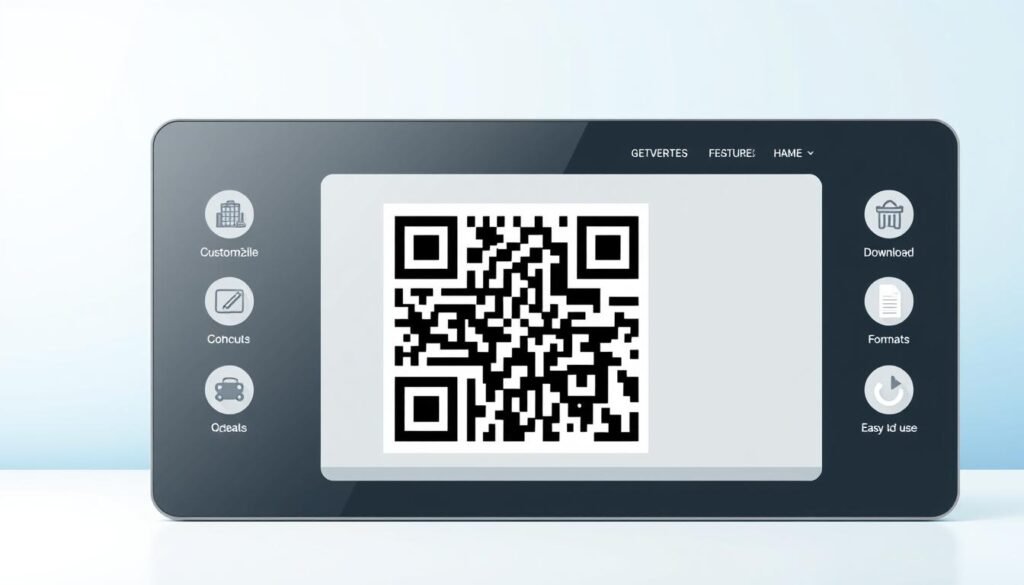
Understanding Static vs. Dynamic QR Codes
Let’s dive into the differences between static and dynamic QR codes. Knowing which type to use can really help you make the most of your QR code experience.
Static QR codes are the straightforward option. You put your data in once, generate the code, and that information is baked right into the pattern forever. There’s no way to change it later, but that’s part of their charm.
The upside of static codes is that they never expire. There’s no middleman server involved, so the code works as long as the underlying link or content stays valid. If you’re printing a code on something permanent like product packaging or a business card, a static code makes sense. You won’t need to update it down the road.
Static QR Codes: Simple and Forever
- Static codes are straightforward and easy to use.
- They never expire and don’t require a server to function.
- Perfect for permanent items like business cards or packaging.
Now, let’s talk about dynamic codes. They work differently since they point to a URL on a platform that can redirect scanners. This means you can change where that code leads anytime you want. The real magic of dynamic codes shows up when you’ve already printed thousands of flyers and realize you need to fix a typo in the link or send people to a different landing page.
Dynamic QR Codes: Flexibility and Tracking
- With a dynamic code, you just log into your account and update the destination URL.
- Every existing printed code instantly starts pointing to the new content.
- Tracking is another big reason people choose dynamic codes.
You can see how many scans you’re getting, where they’re happening, and what devices people are using. Static codes don’t provide any scan data, so if you’re running a marketing campaign and need to measure results, dynamic is the way to go.
Both types have their place. The choice really comes down to whether you need the flexibility to edit later or just want something simple that works indefinitely. The free codes from this generator are static by default, which covers most everyday needs, but dynamic options are available if you sign up for an account with the platform.
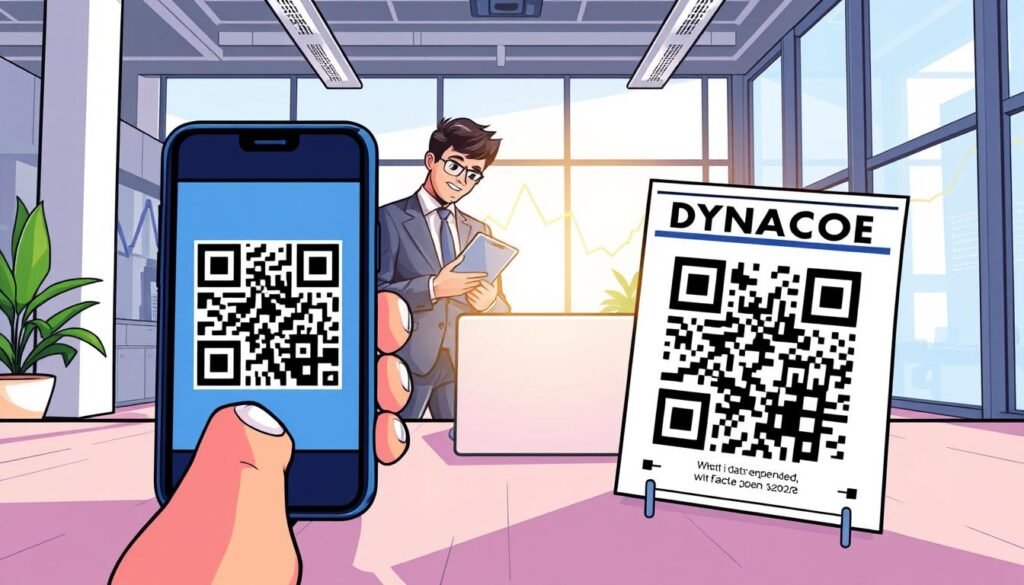
The Perks of Using Our Free QR Code Generator
Want to know why our QR code tool is a game changer? It’s all about making your life easier while providing top-notch quality. You can jump right in and start making codes without creating an account or handing over your email address. That’s refreshing when so many tools put a signup wall between you and what you need.
There’s genuinely no catch here: the codes you make are free for any purpose, including commercial projects. Plus, you can generate as many as you want without hitting some arbitrary limit. Unlike other tools that make your codes expire after a certain time or cap how many scans you can get, every code from this tool works forever with unlimited scans.
The platform doesn’t store your data or reuse it in any way. The image files only hang around on the server for 24 hours to keep things running smoothly. Being GDPR compliant means the whole operation follows strict data protection standards, so you’re not accidentally exposing anyone’s personal information just by using the service.
For small business owners who need codes for menus, flyers, or product tags, the no-registration approach saves time and keeps things moving when you’ve got a hundred other tasks on your plate. The security side of things is handled with HTTPS connections and daily monitoring, so the URLs behind your codes stay safe and accessible.
You won’t find ads cluttering up the page or sneaky upsells trying to trick you into paying for something that should be free. The platform has been around for years and serves users in nearly 200 countries, so you’re not betting on some fly-by-night website that might disappear next month.
All these perks add up to a code generator that respects your time and your privacy while giving you professional quality output without asking for anything in return.
| Feature | Description |
|---|---|
| No Registration Needed | Start generating codes without signing up. |
| Unlimited Uses | Create as many codes as you want for any purpose. |
| No Expiration | All codes work forever with unlimited scans. |
| GDPR-Compliant | Data protection standards are strictly followed. |
| Secure Platform | HTTPS connections and daily monitoring ensure safety. |
Design Tips to Make Your QR Codes More Scannable
Have you ever thought about how to make your QR codes more effective? The design of your code plays a crucial role in how easily it can be scanned. Let’s break down some key tips to enhance the scannability of your codes.
Choosing the Right Size and Contrast
Size matters way more than most people realize. The general rule is to keep your code at least 2 by 2 centimeters. This size ensures that phone cameras can lock onto it without trouble. If you’re printing on something small, like a business card, don’t shrink the code too much. Otherwise, you’ll end up with frustrated people waving their phones around trying to get a scan.
Contrast is another big factor. The dark parts of your code need to be noticeably darker than the background. A simple rule to follow is to make sure the foreground is always darker than the background. Black on white is still the most reliable combo for quick scanning.
Why Adding a Logo Doesn’t Break Your Code
Adding a logo to the center of your code feels like it should break something. However, the error correction built into QR codes means up to 30% of the pattern can be covered or damaged, and it’ll still work. This flexibility allows you to get creative with designs and branding without turning your code into an unscannable mess.
Using Colors Without Losing Readability
When you’re playing with colors, stick to combinations that maintain strong contrast. Avoid light pastels on white backgrounds since those tend to wash out on camera. Testing your code on a few different devices before you print a thousand copies is always a smart move. Some phone cameras handle certain color schemes better than others.
The corner elements of a QR code are what scanners look for first. So, keep those fairly traditional in shape and color, even if you’re getting wild with the rest of the design. A well-designed code that’s easy to scan will always outperform a fancy one that nobody can get to work. Lean toward readability when making design choices.
| Design Element | Recommendation |
|---|---|
| Size | Minimum 2 x 2 cm |
| Contrast | Foreground darker than background |
| Logo | Cover up to 30% of the code |
| Colors | Avoid light pastels on white |
Practical Uses for Your Custom QR Codes
Curious about how you can put those scannable images to work? QR codes are incredibly versatile, serving various purposes that can enhance your marketing and business efforts. Let’s explore some practical applications where these codes can really shine.
Marketing Campaigns and Business Branding
Marketing campaigns get a serious boost from QR codes. You can drop them on flyers, posters, and product packaging to send people straight to a landing page or special offer without any typing. This not only saves time but also increases engagement.
Business branding becomes more interactive when you put a custom code with your logo on storefront windows, receipts, or even the side of your delivery vehicle. This way, customers can connect with your brand instantly, making it memorable.
Event Access and Ticketing Made Simple
Event planners love QR codes for ticketing. Attendees can just pull up a code on their phone and get scanned in at the door. This cuts down on paper waste and long lines, making the whole process smoother and more efficient.
Imagine hosting an event where guests can access their tickets quickly, enhancing their experience from the moment they arrive.
Sharing Contact Info and Media Effortlessly
Sharing your contact info through a vCard code means new connections can save your name, phone number, and email to their phone in one tap. This beats fumbling with manual entry, especially at networking events.
Restaurants have been using codes on tables for years now to link to digital menus. It’s a simple idea that makes the whole dining experience smoother. You can also link directly to social media profiles, YouTube videos, or music playlists, turning a printed piece of media into a gateway to your entire online presence.
Real estate agents stick codes on for sale signs so people walking by can instantly see listing photos and details without having to search for the property online. Retail shops use codes on price tags and product displays to link to demo videos, customer reviews, or detailed specs that wouldn’t fit on a small label.
Any time you find yourself wishing you could connect a physical object to something digital, there’s probably a QR code use case that fits the situation perfectly.
| Use Case | Description |
|---|---|
| Marketing | Boost campaigns with codes on promotional materials. |
| Branding | Enhance brand visibility with custom codes. |
| Event Access | Streamline ticketing and check-in processes. |
| Contact Sharing | Quickly share contact details with a vCard. |
| Media Links | Connect to social media and online content. |
Managing and Tracking QR Codes Like a Pro
Ever thought about how to keep tabs on your codes? Managing and tracking them effectively can take your marketing efforts to the next level. With dynamic codes, you can easily edit the target URL anytime after printing. This flexibility is a total game changer, especially when you’re juggling multiple marketing campaigns.
The platform dashboard gives you a clear overview of all your codes in one spot. You can organize them into campaign folders, so nothing gets lost in the shuffle. This way, you’ll always know where to find what you need.
Editing and Updating Dynamic QR Codes
Once you start using dynamic codes, you’ll appreciate how easy it is to change the destination URL. If you realize you need to fix a typo or redirect to a new landing page, you can do it all without reprinting. This means one print run can serve multiple campaigns over time, making your marketing efforts much more efficient.
Getting Insights: Scan Stats and Locations
Tracking data is another fantastic feature. You can see how many scans each code gets, where those scans happen, and what devices people are using to access your content. This information helps you understand your audience better.
For instance, knowing which operating systems your audience prefers—like iOS or Android—allows you to optimize your landing pages. You want to ensure everything loads properly on both types of devices.
Organizing Codes for Multiple Campaigns
With the batch creation feature, you can generate several codes at once or even upload them via a CSV file. This saves you hours, especially when you need codes for different products or locations. Plus, you can pause or update any dynamic code from your account without touching the printed materials.
To keep everything organized, set up folders for each campaign. This makes it easy to compare performance across different marketing efforts and figure out which placements are actually driving results.
And if you want to stay in the loop, you can set up notifications to ping you by email whenever someone scans your code. You’ll receive location data and a timestamp for real-time monitoring, so you’re always aware of how your campaigns are performing.
All these management features are available behind a free account, so you can start tracking and organizing without committing to a paid plan right out of the gate. For more details on how to maximize your QR code experience, check out our QR code platform.
Printing Your QR Codes: What You Need to Know
Ready to take your QR codes from screen to print? It’s important to get this right, especially if you want them to look sharp and professional. Let’s break down what you need to consider before hitting that print button.
Best File Types and Resolution for Print
When you’re ready to print, the file format you choose makes all the difference. Vector formats like SVG are your best friend because they scale up to any size without getting fuzzy. This format is particularly great for print because it preserves all your design choices, including colors and logos. On the other hand, PDF and EPS formats are fine for basic black and white codes, but they may strip out custom elements.
Printing Size and Placement Advice
Now, let’s talk size. The minimum size rule of 2 by 2 centimeters is a good baseline. If your code will be scanned from farther away, like on a billboard or store window, you need to go bigger. Also, every QR code needs a quiet zone around it, which is just a blank margin that helps scanner apps distinguish the code from whatever else is printed nearby.
Ensuring Quality and Durability on Materials
When you’re printing on packaging materials like cardboard boxes or plastic wraps, test the code on the actual material first. Some surfaces can distort the pattern or reduce contrast. The placement of your code matters almost as much as the design. Put it somewhere people can easily reach with their phone without awkwardly crouching or stretching.
For product packaging, avoid placing codes right on folds, seams, or curved surfaces where the pattern might get warped and become unreadable. High-resolution PNG files work for smaller print jobs like business cards or flyers, but anything larger than a sheet of paper really should use a vector format. If you’re working with a professional printer, ask them what file types they prefer before you generate your final code so you don’t have to redo anything later.
Ensuring Your QR Codes Work Every Time
Before you share your QR codes, it’s smart to ensure they function as intended. Testing your codes can save you from potential headaches down the line. Let’s explore how to do this effectively.
Testing Before You Go Live
It’s a good idea to grab a couple of different phones and test your codes yourself. What works on your device might not work on someone else’s older model. Here are some tips to keep in mind:
- The most common reason a code fails is a simple typo in the URL. Double-check that the link actually goes where you think it goes before you print anything.
- If your code has a lot of data packed into it, like a detailed vCard with multiple phone numbers and addresses, try trimming it down. Less data means an easier scan.
- Sometimes, a logo that’s just a bit too big or positioned slightly off-center can mess with scanning. If you’re having trouble, test a version without the logo to narrow down the problem.
- Contrast issues can be sneaky. A color combo that looks great on your computer screen might not have enough differentiation when printed on certain paper stocks.
- Different scanner apps handle codes differently. The built-in camera scanner on iPhones sometimes behaves differently than a third-party Android app.
Troubleshooting Common Issues
If people tell you your code isn’t working, ask them what phone and app they’re using. This information helps you figure out if the problem is on your end or theirs. Here are a few more troubleshooting tips:
- The quiet zone around your code needs to be clear of other design elements, text, or images that could confuse the scanner and prevent it from locking onto the pattern.
- Testing should happen on the final printed piece whenever possible. The material, finish, and lighting conditions all affect how well a code scans in real life.
- Most scanning problems have simple fixes once you identify what’s going wrong, so don’t panic if your first test doesn’t go perfectly.
| Common Issue | Solution |
|---|---|
| Typos in URL | Double-check the link before printing. |
| Too Much Data | Trim down the information in your code. |
| Logo Interference | Test without the logo to see if it scans. |
| Poor Contrast | Ensure the foreground is darker than the background. |
| Scanner App Issues | Ask users about their device and app. |
Who Benefits Most from Our Free QR Code Generator
Have you thought about who really benefits from using a QR code tool? It turns out that a wide range of people and businesses can make the most of this handy feature. Let’s dive into some of the key groups that find value in generating codes quickly and easily.
Small Businesses and Local Shops
Small business owners get a ton of value from these codes. They can print them on window decals, receipt slips, and table tents without adding any cost to their marketing budget. This flexibility helps them engage customers effectively.
Local coffee shops and restaurants use codes to link to digital menus, loyalty programs, and review pages. This keeps customers engaged without needing a fancy app or expensive tech setup. It’s a simple way to enhance customer experience.
Event Planners and Marketers
Event planners and coordinators rely on codes for everything from ticket check-ins to schedule updates. The ability to change a dynamic code’s destination mid-event saves the day when plans shift unexpectedly. It’s a lifesaver for keeping guests informed.
Marketers running multi-channel campaigns can track which physical locations or print materials drive the most traffic. By assigning unique codes to each placement, they can measure the effectiveness of their marketing strategies.
Anyone Needing Quick Digital Links
Real estate agents have been quick to adopt these codes on property signs and listing flyers. Buyers can pull up full photo galleries and floor plans right from the curb, making it easier to explore options.
Musicians and artists use codes on posters and album artwork to link directly to streaming platforms, music videos, or upcoming show dates. This keeps their audience engaged without cluttering the design with long URLs.
Teachers and educators stick codes on classroom materials and handouts to point students toward supplementary resources, assignment pages, or instructional videos. This makes learning more interactive and accessible.
Anyone who’s ever tried to share a long, complicated link on a printed piece of media knows the pain that these codes solve. The generator works on any modern browser and device, so whether you’re on a laptop at your desk or a phone while setting up an event, you can create codes wherever you are.
From freelance photographers sharing portfolios to fitness trainers linking to workout videos, the range of people who benefit from quick digital links is honestly pretty endless.
Ready to Create Your Free QR Code Generator Experience?
Excited to see how easy it is to make your own codes? You’ve made it through the whole guide, and now you know exactly what goes into making a code that looks good, scans fast, and does exactly what you need it to do.
The generator is right here, waiting for you to jump in and start. No account is needed, and there are no limits on how many codes you can make. Whether you want a simple black and white image for a flyer or a fully branded design with your logo and custom colors for packaging, this tool handles it all.
Every code you create comes with unlimited scans and no expiration date. This means you can print it on materials that need to last for years without worrying about it suddenly stopping. Plus, the vector format options ensure your codes look sharp at any size, from tiny stickers to large prints.
If you ever have questions or need support, there’s a comprehensive help section and FAQ page ready to assist you. The platform has served millions of users across nearly 200 countries, so you’re in good company.
Your data stays private, your codes remain active, and you keep full control over every image and file you download. So go ahead and pick your code type, whether it’s a URL link, a contact vCard, a PDF document, or any of the other options available.
In the time it took you to read this last section, you could have already created your first code and downloaded it to your device. What are you waiting for?